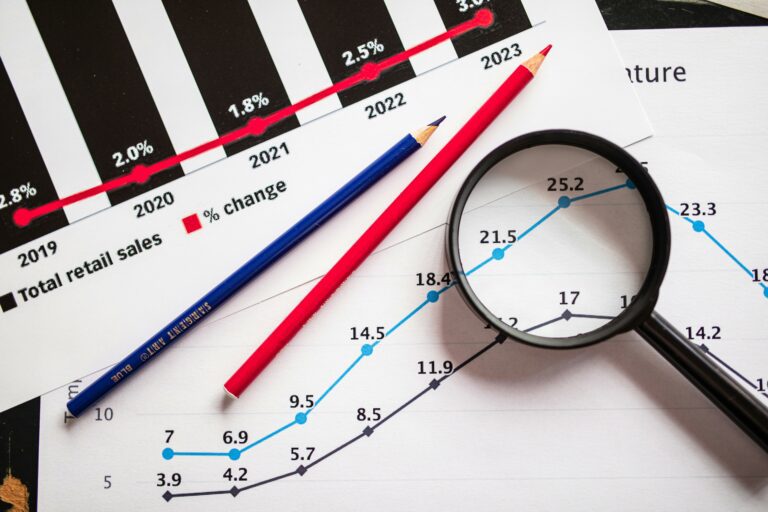

GIF marketing is one of those tactics everyone uses but few measure well, which is why it often gets treated like a fun extra instead of a performance asset. In practice, GIFs can lift click intent, improve message recall, and make creator content feel native to the feed. However, the value only shows up when you choose the right format, track the right metrics, and negotiate usage and licensing with the same discipline you apply to video. This guide turns the curiosity around GIFs into a practical playbook you can use in briefs, reporting, and pricing.
GIF marketing basics: what a GIF is and where it works
A GIF is a short looping animation, usually silent, that communicates a reaction, a product moment, or a micro tutorial in one to three seconds. Because it loops, it can deliver the key message even when someone is scrolling fast. That makes it especially useful in placements where attention is fragmented, such as Stories stickers, comment replies, email headers, and landing pages. Still, not every platform treats GIFs the same way, so you should plan distribution before you produce.
As a rule, use GIFs when your message can be understood without audio and without context. For example, a skincare brand can show a texture swipe, a before and after reveal, or a simple routine step. On the other hand, if the value proposition needs explanation, a short video with captions will usually outperform. The takeaway: GIFs are strongest as punctuation – not as the whole sentence.
- Best for: reactions, product reveals, micro demos, UI walkthroughs, meme style brand moments.
- Weak for: complex claims, detailed comparisons, anything requiring voiceover.
- Distribution tip: plan one primary placement and two secondary placements before design begins.
Key terms you must define in every GIF brief
Before you talk pricing or performance, align on definitions. Many campaigns fail because teams mix up reach and impressions, or treat engagement rate as a single universal number. A tight glossary inside the brief prevents reporting chaos later. It also protects creators, because deliverables and usage rights become unambiguous.
- Reach: unique accounts that saw the content at least once.
- Impressions: total views, including repeat views by the same account.
- Engagement rate (ER): engagements divided by reach or impressions. Always state which denominator you use.
- CPM: cost per thousand impressions. Formula: cost / impressions x 1000.
- CPV: cost per view (often for video). For GIFs, you may approximate with impressions, but label it clearly.
- CPA: cost per acquisition (purchase, signup, lead). Formula: cost / conversions.
- Whitelisting: brand runs paid ads through a creator handle. Requires explicit permission and access method.
- Usage rights: where and how long the brand can reuse the GIF (organic, paid, email, website, OOH).
- Exclusivity: creator agrees not to work with competitors for a defined period and category scope.
Concrete takeaway: add a one line “measurement definitions” block to every brief, and require the creator or agency to confirm it in writing before production starts.
How to measure GIF marketing: KPIs, formulas, and a simple example
Measuring GIF performance starts with choosing the job the GIF is supposed to do. If it is a top of funnel asset, optimize for reach, impressions, and view through behavior like swipe ups or clicks. If it is mid funnel, track saves, replies, and profile visits. If it is bottom funnel, you need a trackable link, a code, or an on site event to attribute conversions. Without that, you are guessing.
Use these simple formulas to keep reporting consistent:
- CPM = Cost / Impressions x 1000
- CTR = Clicks / Impressions
- ER by reach = Engagements / Reach
- CPA = Cost / Conversions
Example calculation: a creator posts a Story with a GIF overlay and a link sticker. The brand pays $800. The Story gets 40,000 impressions, 28,000 reach, 520 link clicks, and 26 purchases. CPM = 800 / 40000 x 1000 = $20. CTR = 520 / 40000 = 1.3%. CPA = 800 / 26 = $30.77. Now you can compare that to other creators, other formats, or paid social benchmarks.
For measurement standards and definitions, align your reporting language with industry references such as the IAB measurement guidelines. That way, stakeholders stop debating terms and start debating decisions.
Benchmarks table: what “good” looks like for GIF performance
Benchmarks vary by niche, audience age, and placement, so treat the ranges below as directional. Still, having a baseline helps you spot underperformance quickly. When a GIF misses the mark, the fix is usually creative clarity or placement choice, not “posting more.”
| Placement | Primary KPI | Typical strong range | What to optimize first |
|---|---|---|---|
| Instagram Stories (GIF overlay) | CTR | 0.8% – 2.0% | Clear CTA text near the sticker |
| Instagram DM or broadcast channel | Reply rate | 1% – 5% | Question prompt plus reaction GIF |
| Email header GIF | Click to open rate | 10% – 25% | First frame readability and load size |
| Landing page GIF | Scroll depth or time on page | +5% – +20% lift | Show the product benefit in 2 seconds |
Concrete takeaway: pick one KPI per placement and one secondary KPI. If you track five metrics equally, you will optimize none of them.
Pricing and deal terms: how to quote GIF deliverables without guessing
GIF pricing is messy because it sits between static design and video. The fairest approach is to price based on deliverables, usage, and performance risk. Start with a base creative fee, then add line items for paid usage, whitelisting, and exclusivity. This protects both sides: brands get clarity, creators get paid for value beyond the post.
Here is a practical decision rule: if the brand wants to reuse the GIF in ads or on owned channels, treat it like a licensing deal, not a “free add on.” Also, if the GIF includes the creator’s likeness, you should price usage rights higher because it becomes identity based creative.
| Deal component | What it covers | Common pricing approach | Negotiation tip |
|---|---|---|---|
| Base GIF creation | Concept, design, 1 – 2 revisions | Flat fee | Define dimensions and file size limits |
| Posting to creator channel | Story, Reel overlay, or feed support | Add on fee or bundle | Specify posting window and CTA |
| Usage rights | Brand reuse on web, email, organic social | 20% – 100% of base fee | Limit duration to 3 – 6 months |
| Paid usage or whitelisting | Ads run via brand or creator handle | Monthly fee or % of spend | Require ad preview and spend cap |
| Exclusivity | No competitor work in a category | Premium based on time and scope | Narrow the category definition |
For more practical guidance on structuring influencer deliverables and pricing conversations, use the resources in the InfluencerDB Blog as a reference point when you build your rate logic and contract checklist.
A step by step workflow for GIF marketing campaigns
A repeatable workflow keeps GIF campaigns from turning into endless revisions. It also makes performance easier to diagnose because you can trace results back to a specific decision. Use the steps below whether you are a brand marketer, an agency, or a creator managing inbound requests.
- Define the job: awareness, consideration, or conversion. Pick one.
- Choose placement first: Story overlay, email, landing page, or paid ad. Then design to that placement.
- Write the one sentence message: “In 2 seconds, the viewer should understand X.”
- Storyboard the loop: frame 1 must communicate the point even if the GIF never plays.
- Set specs: dimensions, file size, number of loops, and safe zones for UI elements.
- Lock measurement: UTM links, discount codes, or event tracking. State KPI definitions.
- Approve usage and rights: organic, paid, duration, territories, and whether creator likeness is included.
- Publish and monitor: check early signals in the first hour, then review at 24 hours and 7 days.
- Report with context: compare against benchmarks and previous posts, not vanity numbers alone.
Concrete takeaway: require a “frame 1 test” before final export. If the first frame does not communicate the benefit, the loop will not save it.
Common mistakes that make GIF campaigns underperform
Most GIF failures are predictable. The creative is often too subtle, the file is too heavy, or the CTA is missing. Another frequent issue is treating GIF performance like video performance without accounting for the loop and the lack of sound. Finally, teams sometimes skip rights discussions, then discover they cannot legally reuse the asset in ads.
- No clear CTA: viewers enjoy the loop but do not know what to do next.
- Too much text: small fonts become unreadable on mobile.
- Wrong placement: a reaction GIF in a conversion ad rarely works.
- Heavy files: slow load kills attention and can hurt email performance.
- Unclear licensing: brand assumes paid usage, creator assumes organic only.
Concrete takeaway: add a preflight checklist that includes CTA, first frame clarity, file size, and usage rights sign off.
Best practices: creative, compliance, and brand safety
Strong GIFs are simple, fast, and unmistakably on message. Use high contrast, keep the loop tight, and show the product benefit early. If you are using a creator’s face or voice as part of the asset, treat it like talent usage and document permissions. Also, if the GIF includes claims, make sure you can substantiate them, especially in regulated categories like health and finance.
Disclosure matters even when the asset feels like “just a sticker.” If a creator posts a GIF as part of sponsored content, the disclosure rules still apply. Review the FTC’s endorsement guidance and bake disclosure placement into the creative plan: FTC Endorsements and Testimonials. That single step reduces risk and keeps campaigns from being pulled after launch.
- Creative rule: communicate the benefit in the first second.
- Design rule: assume mobile, keep text large, and respect UI safe zones.
- Measurement rule: one KPI per placement, with a clear formula.
- Rights rule: put duration and paid usage in writing, every time.
Quick audit checklist: is this GIF worth scaling?
Before you scale a GIF into paid spend or reuse it across channels, run a quick audit. This protects your budget and prevents you from amplifying a weak message. It also helps creators understand why a brand wants to extend usage, which makes negotiations smoother.
- Clarity: can someone explain the message after one loop?
- Brand fit: does it match tone, color, and product reality?
- Performance: does it beat your baseline CTR or ER for that placement?
- Attribution: are UTMs, codes, or events working and validated?
- Rights: do you have written permission for the intended channels and duration?
Concrete takeaway: only scale when you can answer yes to attribution and rights. Otherwise, even a high performing GIF can become a compliance or reporting problem.