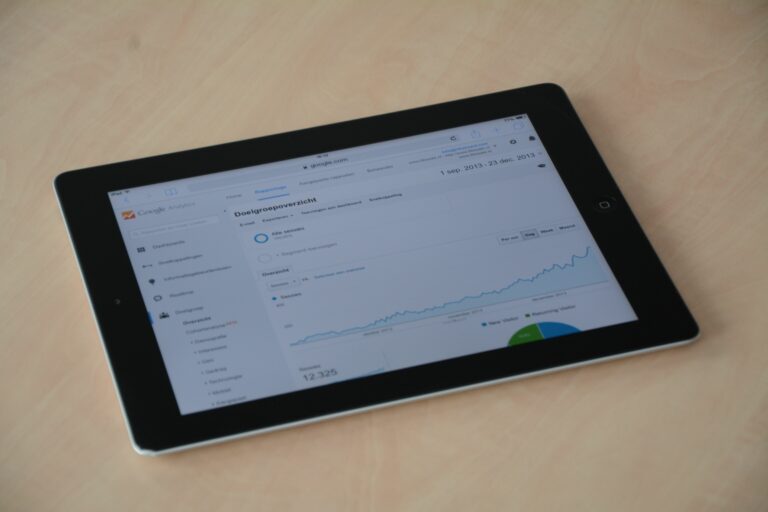

Google Analytics tips can turn influencer marketing from a screenshot-driven debate into a clean, repeatable measurement system you can defend in a budget meeting. The goal is not to obsess over every click – it is to connect creator content to business outcomes using consistent tagging, smart events, and a simple attribution approach you can explain. In practice, that means you standardize UTMs, define conversions, and build a short list of reports that answer the same questions every week. You will also need to translate platform metrics like reach and impressions into on-site behavior like engaged sessions and purchases. Finally, you will avoid the most common trap: measuring creators with the wrong KPI for the job.
Define the metrics first – so your reporting does not drift
Before you touch a dashboard, lock down the vocabulary your team will use. Otherwise, one person will report “reach” while another reports “sessions,” and you will spend the meeting arguing about definitions. Start with the core influencer terms and map each one to what you can measure in Google Analytics 4 (GA4) and what you must pull from the platform. Then decide which metrics are decision metrics (you will act on them) versus context metrics (they help explain results but do not drive changes). As a rule, pick one primary KPI per campaign objective and two supporting metrics. That keeps your analysis focused and prevents cherry-picking.
- Reach – unique people who saw the content (platform metric, not GA4).
- Impressions – total views including repeats (platform metric).
- Engagement rate – engagements divided by reach or impressions (platform metric; define which denominator you use).
- CPM (cost per mille) – cost per 1,000 impressions. Formula: CPM = Cost / (Impressions / 1000).
- CPV (cost per view) – cost per video view. Formula: CPV = Cost / Views.
- CPA (cost per acquisition) – cost per conversion. Formula: CPA = Cost / Conversions.
- Engaged session – GA4 session lasting 10+ seconds, or 2+ page views, or a key event.
- Conversions – the action you care about (purchase, lead, sign-up). In GA4, these are key events.
- Whitelisting – brand runs ads from a creator handle (paid social concept; measurement often needs separate UTMs).
- Usage rights – permission to reuse creator content; affects cost and reporting windows.
- Exclusivity – creator agrees not to promote competitors; affects pricing and can change performance baselines.
Concrete takeaway: Write these definitions into your campaign brief and require every report to use the same denominators and time windows.
Google Analytics tips for clean UTMs that survive real-world sharing

Your measurement will only be as good as your tagging. UTMs are still the simplest way to attribute influencer traffic, but they fail when creators shorten links, audiences copy and paste, or platforms strip parameters in certain flows. To reduce loss, you need a strict naming convention and a QA step before anything goes live. Use lowercase, avoid spaces, and keep values short so they do not get mangled by link shorteners. Also, decide in advance whether you will tag by creator, by post, or by content wave – and stick to it for the whole campaign.
| UTM field | What to store | Example | Rule of thumb |
|---|---|---|---|
| utm_source | Creator identifier | jordanlee | One value per creator, stable across posts |
| utm_medium | Channel type | influencer | Keep medium consistent so reports group correctly |
| utm_campaign | Campaign name | spring_launch_2026 | Match your internal campaign naming |
| utm_content | Placement or asset | tiktok_video_01 | Use for post-level analysis |
| utm_term | Optional targeting note | whitelisted | Only if you will actually filter by it later |
Next, build links with Google’s official tool so parameters are formatted correctly. You can reference Google’s guidance here: Create and use UTM parameters in GA4. After that, run a live test: click each creator link on mobile, complete the key action, and confirm GA4 is capturing the right source and campaign. If you are using link-in-bio tools, test those too because they can overwrite parameters.
- Use one “master” landing page per campaign when possible to reduce noise.
- Give creators a copy-paste link and a short backup link, but keep UTMs on both.
- For Stories, add a second CTA in the caption or sticker text so users can search the brand if the swipe link breaks.
Concrete takeaway: Put UTM QA in your pre-launch checklist and do not approve a post until the test click shows the right campaign in GA4 Realtime.
Set up GA4 events and key events that match influencer intent
Influencer traffic often behaves differently from search or retargeting traffic. People arrive curious, not ready to buy, so you should measure micro-conversions that indicate intent. In GA4, create events for actions like “view_item,” “add_to_cart,” “begin_checkout,” “generate_lead,” or “sign_up,” then mark the ones that matter as key events. If you only track purchases, you will undervalue creators who drive consideration and list growth. On the other hand, if you track too many key events, you will dilute your reporting and confuse stakeholders.
Start with a simple funnel aligned to your offer. For ecommerce, use product view to cart to checkout to purchase. For lead gen, use landing page view to form start to form submit. Then, decide which step is your campaign KPI based on the objective. A creator hired for awareness should be judged on engaged sessions and product views, while a creator hired for performance should be judged on purchases or qualified leads. GA4 lets you build funnel explorations, but even a basic event report can work if your tagging is consistent.
- Awareness objective: engaged sessions, new users, product views.
- Consideration objective: add to cart, email sign-up, lead form start.
- Conversion objective: purchase, lead form submit, trial started.
Concrete takeaway: Pick one key event per objective and report it alongside cost so you can calculate CPA consistently.
Build a reporting framework you can repeat every week
Most influencer reporting fails because it is built like a one-off. Instead, create a weekly scorecard that answers the same five questions: Who drove qualified traffic, what did they do on site, what did it cost, what did we learn, and what will we change next week. Keep the scorecard short enough to read in five minutes, then link to deeper GA4 explorations for analysts. If you need inspiration for how to structure influencer measurement, browse the measurement-focused posts on the InfluencerDB blog and mirror the same logic in your internal templates.
| Scorecard section | Metric | Where to pull it | Decision rule |
|---|---|---|---|
| Traffic quality | Engaged sessions | GA4 Acquisition | Scale creators above median engaged sessions per $1,000 spend |
| Intent | Key event rate | GA4 Events | Fix landing page if rate drops week over week |
| Revenue | Purchase revenue | GA4 Monetization | Renew creators who beat target ROAS or CPA |
| Efficiency | CPA | Cost sheet + GA4 conversions | Pause creators 2x above target CPA unless they lift assisted conversions |
| Learning | Top landing page and message | GA4 Pages + creator brief | Turn the best hook into the next briefing angle |
To make this work, you need a clean creator cost sheet. Include fees, product costs, usage rights, whitelisting fees, and any exclusivity premium. Then calculate blended CPA and blended CPM so you can compare creators fairly. If you are running whitelisted ads, separate organic creator posts from paid amplification using utm_term or a separate utm_medium such as “paid_influencer,” but only if your team will maintain it.
Concrete takeaway: Treat reporting like a product – one template, one naming convention, one weekly cadence.
Do the math: simple formulas and a worked example
Numbers make influencer decisions easier when you keep them simple. Start with CPM, CPV, and CPA for efficiency, then add a revenue metric if you have ecommerce tracking. If you do not have direct revenue, use a proxy like qualified leads or trial starts and assign a value based on historical close rates. The key is to use the same assumptions across creators so comparisons are fair. Once you have those basics, you can layer in assisted conversions and longer attribution windows for creators who drive discovery.
- CPM = Cost / (Impressions / 1000)
- CPV = Cost / Views
- CPA = Cost / Conversions
- Conversion rate = Conversions / Sessions
- ROAS = Revenue / Cost
Example: You pay a creator $2,000 for one TikTok video. The post delivers 120,000 impressions and 45,000 views. Your UTM link drives 1,100 sessions in GA4, with 55 purchases and $4,950 in revenue.
- CPM = 2000 / (120000 / 1000) = $16.67
- CPV = 2000 / 45000 = $0.044
- Conversion rate = 55 / 1100 = 5.0%
- CPA = 2000 / 55 = $36.36
- ROAS = 4950 / 2000 = 2.48
Now add a decision rule: if your target CPA is $40, this creator is a keeper. However, if the product has a low margin, you might require ROAS above 3.0 to scale. The point is that GA4 gives you the on-site truth, but your finance targets tell you what “good” means.
Concrete takeaway: Put your target CPA and target ROAS in the brief before the first post goes live, then report against those targets every week.
Common mistakes that quietly break influencer measurement
Most teams do not fail because they lack data. They fail because small process errors compound until the report is unusable. One common problem is inconsistent UTMs across creators, which splits performance into multiple rows and hides winners. Another issue is judging creators on last-click purchases only, even when the campaign goal is awareness. You also see teams forget to exclude internal traffic, which inflates sessions and makes conversion rates look worse than they are. Finally, some brands mix whitelisted spend into creator fees, which makes CPA look terrible and leads to the wrong conclusion.
- UTM values change mid-campaign, so you cannot trend results.
- Creators use a different link than the approved one, so traffic shows as “direct.”
- Landing pages are slow on mobile, so influencer traffic bounces before engaging.
- Discount codes are tracked, but GA4 is not, so you cannot reconcile totals.
- Attribution windows are not stated, so stakeholders argue about timing.
Concrete takeaway: Audit your top five creators’ links weekly and fix tracking within 24 hours, not after the campaign ends.
Best practices: a practical checklist for better GA4 influencer ROI
Once the basics are in place, you can improve accuracy without making the system fragile. Start by standardizing your campaign taxonomy, then build one exploration that you duplicate for every campaign. Next, segment by landing page and device because influencer traffic is often mobile-heavy and sensitive to page speed. If you have enough volume, compare new versus returning users to see whether creators are bringing fresh audiences or simply reactivating existing ones. Finally, document everything so your next campaign starts faster than the last.
- Use a campaign naming standard and store it in a shared doc.
- Mark only true outcomes as key events, then keep micro-conversions as secondary.
- Separate organic and whitelisted traffic with clear UTMs.
- Build a creator-level view using utm_source as the creator ID.
- Reconcile GA4 with platform reporting weekly to catch broken links early.
For teams that need a reference on GA4 measurement concepts and attribution, Google’s documentation is the safest source to align on definitions and limitations: About attribution in Google Analytics. Use it to set expectations with stakeholders, especially when influencer content drives discovery that converts later through another channel.
Concrete takeaway: Treat GA4 as your system of record for on-site behavior, then use platform metrics to explain why that behavior happened.
How to use GA4 insights to negotiate creators and plan the next wave
Measurement is only valuable if it changes decisions. Once you know which creators drive engaged sessions and key events, you can negotiate from evidence instead of gut feel. For example, if a creator’s CPM is high but their conversion rate is double the campaign average, you can justify renewing them even if their audience is smaller. Conversely, if a creator delivers huge impressions but weak engaged sessions, you can adjust the brief, change the landing page, or shift them to a pure awareness role. This is also where usage rights and exclusivity matter: if you are paying for rights, you should measure performance over the full usage period, not just the initial post week.
- Renewal rule: Renew creators who beat target CPA or who drive top-quartile engaged sessions per dollar.
- Creative rule: If engaged sessions are strong but conversion is weak, test a tighter offer and a faster landing page.
- Budget rule: Allocate the next wave by marginal CPA, not by follower count.
Also, keep one qualitative note per creator in your report: hook, product angle, and audience reaction. That context helps you brief the next wave and avoid repeating the same creative mistakes. Over time, this becomes a playbook that makes your influencer program easier to scale and easier to defend.
Concrete takeaway: Use GA4 results to set creator tiers for the next campaign – performance partners, awareness partners, and experimental tests – then price and brief each tier differently.