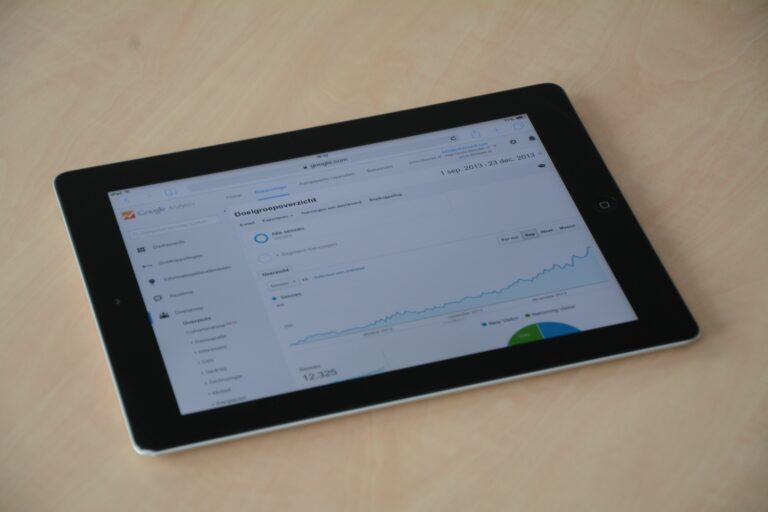

YouTube analytics metrics are the fastest way to see what is really working on your channel or in a brand partnership, because they connect content decisions to measurable outcomes. Still, the dashboard can feel noisy, so the goal is not to track everything – it is to control a small set of indicators that match your objective. In this guide, you will learn the core definitions, the KPIs that matter for creators and marketers, and a repeatable review routine you can run every week. Along the way, you will get formulas, example calculations, and practical decision rules you can apply immediately. If you manage influencer campaigns, you will also learn how to translate YouTube reporting into CPM, CPV, and CPA so stakeholders can compare performance across channels.
Define the terms first (so you measure the right thing)
Before you pick KPIs, align on definitions. Otherwise, you will argue about numbers instead of improving results. Start with the basics: reach is the number of unique people who saw content, while impressions are total times a thumbnail was shown, including repeats. Engagement rate on YouTube is usually interactions divided by views, but teams define “interactions” differently, so write it down. CPM is cost per thousand impressions, CPV is cost per view, and CPA is cost per acquisition (a purchase, signup, or other conversion). For influencer deals, usage rights define where and how long a brand can reuse the creator’s content, while exclusivity restricts the creator from working with competitors for a period.
Two more terms matter in paid amplification. Whitelisting (often called creator licensing) is when a brand runs ads through a creator’s handle, usually to borrow trust and improve click through rates. Finally, watch time is total minutes watched, and it matters because YouTube’s recommendation system heavily rewards content that keeps viewers on the platform. For official definitions and reporting context, YouTube’s own documentation is the reference point: YouTube Analytics overview.
- Takeaway: Write a one page “metrics dictionary” for your team: definitions, formulas, and the reporting source for each KPI.
YouTube analytics metrics that predict growth (and what to do with them)

Not every metric has the same job. Some predict distribution, others diagnose packaging, and others show audience quality. If you want sustainable growth, prioritize a small set: impressions, click through rate (CTR), average view duration (AVD), average percentage viewed (APV), watch time, and returning viewers. Together, these tell you whether YouTube is showing your video, whether people choose it, and whether they stay. When one of these breaks, you can usually pinpoint the fix to thumbnail, title, hook, pacing, or topic selection.
Use this simple diagnostic flow. If impressions are low, the issue is often topic demand, channel momentum, or weak early performance signals. If impressions are high but views are low, CTR is the bottleneck – packaging needs work. If CTR is strong but watch time is weak, the hook and structure are the problem. If watch time is strong but subscribers or returning viewers are flat, your content may be satisfying once but not building a habit, so you need clearer series, stronger positioning, and consistent formats.
- Decision rule: Fix metrics in order: impressions (topic) – CTR (packaging) – retention (content) – returning viewers (format consistency).
- Tip: Compare videos only within the same format and length. A 9 minute tutorial and a 45 minute podcast episode behave differently.
Retention and watch time: the two numbers that change everything
Retention is where YouTube winners separate from the rest. Two metrics matter most: average view duration (minutes) and average percentage viewed (percent). AVD helps you compare across similar lengths, while APV helps you see if viewers are dropping early. In practice, you want a strong first 30 seconds, a clear promise, and frequent “pattern interrupts” like examples, visuals, or chapter changes every 20 to 40 seconds.
Here are two formulas you should keep handy. Watch time (minutes) = views x average view duration. APV (%) = average view duration / video length x 100. Example: a 12 minute video with 40,000 views and 4:30 AVD generates 180,000 minutes of watch time (40,000 x 4.5). If APV is 37.5 percent (4.5 / 12), you know the average viewer does not reach the final CTA, so move the CTA earlier or add mid video CTAs that feel natural.
When you analyze retention graphs, look for three patterns. First, a steep early drop means the intro is too long or the title promise is not matched quickly. Second, a mid video cliff often means a tangent, an abrupt sponsor read, or a confusing step. Third, a gradual decline is normal, but you can slow it by tightening editing and previewing what is next. For more measurement and reporting ideas you can adapt to influencer work, browse the practical playbooks in the InfluencerDB blog and borrow the structure for your own dashboards.
- Checklist: In every video, state the payoff in the first 10 seconds, show the outcome by 30 seconds, and cut any section that does not move the viewer toward the promise.
Campaign KPIs for influencer YouTube: CPM, CPV, CPA, and lift
If you are a brand or agency, you need YouTube reporting that maps to business outcomes. Start with three paid media style KPIs: CPM, CPV, and CPA. These let you compare a creator integration to other channels without pretending the formats are identical. Importantly, always separate organic performance (the creator’s distribution) from paid amplification (whitelisting or ads) because the cost structure and optimization levers differ.
Use these formulas. CPM = cost / impressions x 1000. CPV = cost / views. CPA = cost / conversions. Example: you pay $8,000 for a dedicated video that generates 220,000 impressions, 60,000 views, and 240 tracked purchases. CPM is $36.36 ($8,000 / 220,000 x 1000). CPV is $0.13 ($8,000 / 60,000). CPA is $33.33 ($8,000 / 240). Whether that is “good” depends on your margins and your baseline CPA from search and paid social.
However, direct response is not the only goal. If you run awareness, track view through rate (views divided by impressions), watch time per impression, and brand lift when available. YouTube’s ad products and measurement options can help you understand lift and incremental impact: Google Ads video campaigns guide. Even if you are not running ads, the measurement mindset is useful: define the outcome, define the window, and define what “incremental” means for your business.
- Takeaway: Require creators to report impressions, views, and average view duration for every integration so you can compute CPM, CPV, and watch time efficiency consistently.
Benchmarks table: what “good” looks like for key YouTube indicators
Benchmarks are not targets, but they stop you from overreacting to normal variance. Use them as a starting range, then build your own baselines by format, niche, and audience geography. Also, compare performance at the same age of video (for example, first 48 hours) because YouTube distribution often comes in waves. The table below gives practical ranges you can use in weekly reviews.
| Metric | Why it matters | Healthy starting range | What to do if low |
|---|---|---|---|
| CTR (Browse and Suggested) | Packaging and topic demand | 4% to 10% (varies by niche) | Test 2 to 3 thumbnails, tighten title promise, align topic to audience |
| Average view duration | Watch time generation | 35% to 55% of video length | Shorten intro, add faster examples, remove tangents, improve pacing |
| Average percentage viewed | Retention quality | 35% to 60% | Rewrite first minute, add chapters, preview next steps earlier |
| Returning viewers | Audience habit and loyalty | Upward trend month over month | Create series, publish on a schedule, keep format consistent |
| Subscribers per 1,000 views | Channel conversion | 1 to 10 (context dependent) | Clarify channel value, add end screens, make next video obvious |
- Tip: Track benchmarks by traffic source. CTR from Browse often differs from Search, and mixing them hides the real story.
Audit framework: how to analyze a channel before you sponsor it
When you sponsor a YouTube creator, you are buying more than views. You are buying audience trust, content quality, and distribution reliability. A fast audit helps you avoid channels with inflated numbers or mismatched audiences. Start with content fit: does the creator regularly cover topics adjacent to your product, and do they explain things in a way your buyer understands? Then check consistency: a channel with one viral spike and a long flat line can still be great, but you should price the deal for uncertainty.
Next, validate audience quality using signals you can observe. Look at comment depth (questions, personal stories, follow ups) rather than raw comment count. Scan the “Popular” tab and compare it to recent uploads to see whether the channel is trending up or down. If you can access creator screenshots, ask for YouTube Studio exports for the last 90 days: top geographies, age ranges, traffic sources, and average view duration by video. Finally, confirm brand safety: review recent videos for risky claims, sensitive topics, or inconsistent disclosure practices.
| Audit area | What to check | Red flags | What to request |
|---|---|---|---|
| Audience fit | Topics, language, buyer intent | Views but no relevant questions in comments | Top videos list and audience geos |
| Performance stability | Median views per upload, not just best video | One viral hit drives most channel perception | Last 10 uploads with views after 7 days |
| Retention quality | AVD and APV for recent videos | Sharp early drop across many uploads | Retention screenshot for 2 to 3 videos |
| Traffic sources | Browse, Suggested, Search balance | Overreliance on external spikes | Traffic sources for last 28 days |
| Brand safety and disclosure | Clear sponsorship labels and honest claims | Hidden ads, exaggerated promises | Draft integration script and disclosure plan |
- Decision rule: Price based on the creator’s median views per upload and retention quality, not their biggest video.
Negotiation levers: usage rights, exclusivity, and whitelisting
Once you know the metrics, you can negotiate the deal structure with confidence. Many teams overpay because they bundle everything into one fee without valuing add ons. Separate the base deliverable (integration in a video, dedicated video, Shorts, Community post) from rights and restrictions. Usage rights should specify placements (brand site, paid ads, email, retail screens), duration (30, 90, 180 days, or perpetual), and territories. If a brand wants perpetual paid usage, that is not a small add on – it changes the creator’s future earning potential.
Exclusivity should be narrow and time bound. Instead of “no other finance brands,” specify “no tax filing apps” for 30 days, or define direct competitors by name. Whitelisting should include who pays media spend, who owns the pixel, what creative can be edited, and what reporting the creator receives. If you plan to run paid, negotiate a separate licensing fee plus a performance review checkpoint after two weeks so you can renew only if the ads hit target CPV or CPA.
- Takeaway: Break pricing into line items: content fee + usage rights + exclusivity + whitelisting license. This makes approvals easier and prevents silent scope creep.
Common mistakes (and how to avoid them)
The most common mistake is treating YouTube like a single metric platform. Views alone can hide weak retention, and weak retention can kill future distribution. Another frequent error is comparing videos across different traffic sources without realizing that Search viewers behave differently from Browse viewers. Teams also misread CTR by ignoring impression volume: a 12% CTR on 5,000 impressions is not the same as a 6% CTR on 500,000 impressions. Finally, brands often demand last click attribution for influencer YouTube, then declare the channel “does not work” even when it clearly drives consideration.
Fix these issues with process. Define your objective first, then pick 3 to 5 KPIs that match it. Use cohorts: first 24 hours, first 7 days, and first 28 days. For partnerships, set tracking expectations upfront: unique links, discount codes, and a post campaign report that includes impressions, views, watch time, and audience geography. If you need disclosure guidance for sponsored content, the FTC’s endorsement rules are the baseline reference: FTC endorsements guidance.
- Quick fix: Add a “median performance” line to every report so one outlier does not distort decisions.
Best practices: a weekly YouTube metrics review routine
Consistency beats complexity. A weekly routine keeps you close to the signals without turning analytics into a full time job. Start by selecting a fixed review day and a fixed reporting window (last 7 days plus last 28 days). Then review in the same order every time: distribution, packaging, retention, audience, and conversion. Because you follow the same sequence, you will spot changes faster and avoid chasing random spikes.
Use this weekly checklist. First, list the top 3 videos by watch time, not views, and write one sentence on why each performed. Next, check CTR by traffic source and note any thumbnail or title tests you ran. Then open retention graphs for the newest upload and mark the first major drop and the timestamp where it happens. After that, review returning viewers and subscribers gained to see whether the channel is building a habit. Finally, if you run brand campaigns, compute CPV and CPA for each creator and compare to your targets.
- Weekly checklist: Top watch time videos – CTR by source – retention drop points – returning viewers trend – CPV and CPA (if applicable).
- Tip: Keep a simple “hypothesis log” for each upload: what you changed, what you expected, and what happened. This turns analytics into learning.
A good dashboard answers three questions: what happened, why it happened, and what you will do next. Keep it short enough to fit on one screen. For creators, the dashboard should highlight content decisions: topics, formats, and hooks. For brands, it should translate performance into comparable units like CPM, CPV, and CPA, plus qualitative notes on audience sentiment. Either way, the goal is control: you want to know which levers to pull next week.
Start with a “north star” metric tied to your objective. If you want growth, use watch time and returning viewers. If you want awareness, use impressions, view through rate, and watch time per impression. If you want sales, use CPA and conversion rate, but keep watch time in view because it predicts future efficiency. Then add two notes: one risk (what could break) and one experiment (what you will test). That final step keeps the analysis from becoming passive reporting.
- Final takeaway: Control fewer metrics, but control them deeply – each KPI should have an action attached to it.