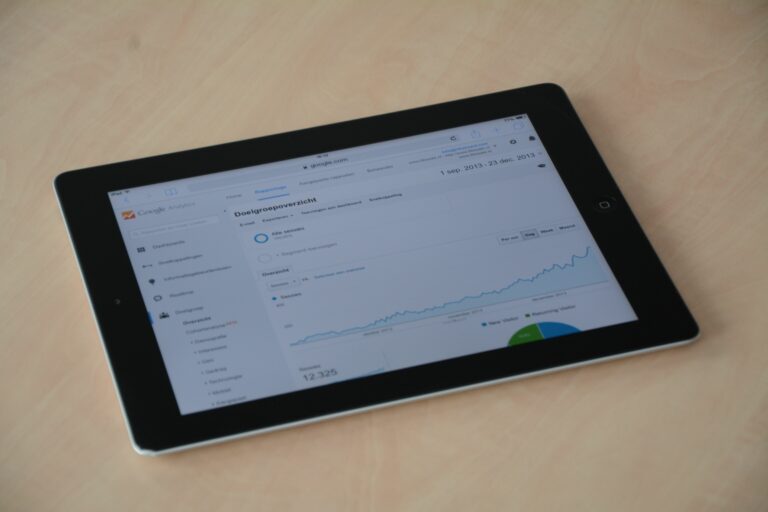

YouTube statistics are only useful when they change what you publish, how you package it, and what you sell to partners. This guide breaks down the metrics that matter, defines the terms brands ask about, and shows you a repeatable way to audit performance, forecast results, and negotiate influencer deals with numbers instead of vibes.
YouTube statistics: what to track and why
Before you open Analytics, decide what “good” means for your channel. For creators, that usually means growth, retention, and revenue stability. For brands, it means predictable reach, safe placements, and measurable outcomes. As a result, the same dashboard can tell two different stories depending on the goal. Start by grouping your metrics into four buckets: audience, content performance, monetization, and brand outcomes. Then you can stop chasing vanity numbers and focus on signals you can improve.
Concrete takeaway – pick one primary KPI per video and one secondary KPI. For example, a tutorial might prioritize average view duration (primary) and subscribers gained (secondary). A product review might prioritize click through rate on the description link (primary) and qualified views (secondary). This simple rule prevents you from “optimizing” for everything and improving nothing.
Key terms brands and creators must define early

Misunderstood terms create bad briefs and messy reporting. Define these up front in your media kit or campaign doc so both sides measure the same thing. When you do, negotiations get faster and post campaign analysis becomes credible. Keep the definitions short, then attach the exact calculation you will use.
- Reach – the number of unique people who saw content (YouTube often reports unique viewers as a proxy).
- Impressions – how many times your thumbnail was shown on YouTube surfaces.
- Engagement rate – interactions relative to views or reach (you must specify which).
- CPM (cost per mille) – cost per 1,000 impressions.
- CPV (cost per view) – cost per view, usually for paid or guaranteed view deals.
- CPA (cost per acquisition) – cost per purchase, lead, or other conversion.
- Whitelisting – brand runs ads through a creator’s handle or content identity, typically requiring access and approvals.
- Usage rights – permission to reuse creator content in ads, emails, landing pages, or other channels, defined by duration and placements.
- Exclusivity – creator agrees not to work with competitors for a defined period and category scope.
Concrete takeaway – write a one page “measurement appendix” for every campaign: which metric definitions you use, which links are tracked, and what attribution window applies. If you need a baseline template, browse practical measurement posts on the and adapt the structure to your reporting.
The core YouTube metrics that predict future performance
Views are the headline, but they are not the steering wheel. YouTube’s recommendation system responds strongly to how viewers behave after they click. That means retention, satisfaction proxies, and session impact often matter more than raw view counts. In practice, you want to diagnose performance in the same order YouTube experiences it: impression to click, click to watch, watch to next action.
- Impressions and click through rate (CTR) – tells you if packaging works. If impressions are high but CTR is low, fix title and thumbnail before changing content.
- Average view duration (AVD) and average percentage viewed (APV) – tells you if the video holds attention. If CTR is strong but AVD is weak, your intro and structure need work.
- Watch time – total minutes watched, a durable indicator for long term channel health.
- Returning viewers – a loyalty signal that helps predict stable views.
- Traffic sources – shows where growth comes from: Browse, Suggested, Search, External, Shorts feed.
- Subscribers gained per 1,000 views – a clean way to compare videos of different sizes.
Concrete takeaway – create a “packaging first” checklist for underperformers: (1) compare CTR to your channel median, (2) review first 30 seconds retention, (3) check audience retention dips for confusing sections, (4) update title and thumbnail, then (5) re evaluate after 7 days. For official definitions and reporting notes, use YouTube’s own documentation at YouTube Help.
Benchmarks table: what “good” looks like by goal
Benchmarks vary by niche, audience age, and format, so treat these as starting points rather than promises. Still, having ranges helps you spot outliers quickly. The best use of benchmarks is internal: compare a video to your channel’s last 10 uploads in the same format. Then, use external ranges to sanity check whether your expectations are realistic.
| Goal | Primary metric | Healthy range (typical) | What to do if below range |
|---|---|---|---|
| Improve packaging | Impressions CTR | 3% to 10% (varies by surface) | Test 2 thumbnails, tighten title promise, align thumbnail with first 10 seconds |
| Increase retention | Average percentage viewed | 35% to 55% for long form | Shorten intro, add chapter stakes, remove dead air, move payoff earlier |
| Grow loyal audience | Returning viewers | Upward trend month over month | Build series formats, consistent upload days, stronger end screens to next video |
| Drive site actions | Outbound clicks per 1,000 views | Depends on offer and intent | Improve CTA timing, pin comment, simplify link path, add proof and urgency |
Concrete takeaway – store your own “channel medians” for CTR, AVD, APV, and subs per 1,000 views. Update monthly and use them as your real benchmark sheet.
How to calculate CPM, CPV, CPA, and engagement rate (with examples)
Creators and brands often talk past each other because they use different denominators. To fix that, put formulas into your proposal and reporting. That way, when a brand asks for “CPM,” you can clarify whether they mean impressions CPM, view based CPM, or an effective CPM across multiple placements. Numbers become negotiable only when they are defined.
- CPM = (Cost / Impressions) x 1,000
- CPV = Cost / Views
- CPA = Cost / Conversions
- Engagement rate (by views) = (Likes + Comments + Shares) / Views
Example calculation: a brand pays $4,000 for an integration. The video delivers 120,000 views and 800,000 impressions. CPV = 4,000 / 120,000 = $0.033. Impressions CPM = (4,000 / 800,000) x 1,000 = $5. If the tracked link generates 160 purchases, CPA = 4,000 / 160 = $25. These three numbers can all be “true” at once, which is why you should choose the one that matches the campaign objective.
Concrete takeaway – when negotiating, ask “Which denominator are you optimizing for – impressions, views, or conversions?” Then price and reporting follow logically. For a practical measurement mindset that works across platforms, the has frameworks you can borrow for KPI selection and post campaign readouts.
Pricing and deliverables table for YouTube brand deals
YouTube pricing depends on audience quality, niche, integration style, and usage rights. A 60 second mid roll in a high intent niche can outperform a longer segment in entertainment. Therefore, instead of quoting one flat number, present a menu that separates creative work from media value and rights. Brands like clarity, and creators like getting paid for add ons that increase workload or risk.
| Deliverable | What it includes | Best for | Pricing notes (decision rule) |
|---|---|---|---|
| Dedicated video | Full video centered on brand | Launches, deep education | Higher fee due to opportunity cost – anchor on expected views and production time |
| Integrated segment | 30 to 90 seconds inside a video | Always on partnerships | Price by expected views – add premium for early placement and strong CTA |
| Shorts cutdown | 15 to 45 seconds vertical edit | Extra reach, retargeting | Bundle discount only if brand provides assets and approvals fast |
| Usage rights | Permission to run as ads or reuse | Paid amplification | Charge by duration and placements – 3 months digital only is cheaper than 12 months all media |
| Exclusivity | No competitor deals for a period | Competitive categories | Charge based on lost pipeline – at minimum 20% to 50% uplift depending on scope |
Concrete takeaway – separate “content fee” from “rights and restrictions.” If a brand wants whitelisting or broad usage, treat it as a new line item, not a favor.
A step by step YouTube analytics audit you can run in 45 minutes
An audit should end with decisions, not screenshots. Use a fixed process so you can repeat it monthly and compare periods cleanly. Start with the channel level, then drill into the top and bottom performers, and finally translate findings into a content plan. This is also the fastest way to build a credible media kit because you will know your typical ranges.
- Set the window – last 28 days for recency, last 90 days for stability.
- Record channel medians – CTR, AVD, APV, views per video, subs per 1,000 views.
- Identify 3 winners – videos with above median CTR and above median retention.
- Identify 3 fixables – high impressions but low CTR, or strong CTR but weak retention.
- Map traffic sources – if Search drives wins, invest in keyword led topics; if Suggested drives wins, double down on series and viewer journeys.
- Check audience fit – age, geography, and returning viewers trend to confirm you are building the right crowd for your niche.
- Write 5 actions – two packaging tests, two retention edits for future scripts, one distribution move (community post, Shorts teaser, email).
Concrete takeaway – keep an “audit log” in a spreadsheet with date, actions taken, and results. Over time, you will learn which levers move your YouTube statistics the most for your channel, not for someone else’s.
Common mistakes that ruin reporting and negotiations
Most deal friction comes from preventable measurement errors. Creators sometimes over promise based on a viral outlier, while brands sometimes demand metrics that YouTube does not report cleanly. Fix the basics and you will look more professional immediately. Just as important, you will protect yourself from scope creep.
- Mixing Shorts and long form benchmarks – they behave differently, so report them separately.
- Using views as a proxy for conversions – intent matters; a how to video can convert with fewer views.
- Not defining attribution – CPA changes drastically with a 1 day vs 30 day window.
- Ignoring usage rights – brands may assume they can run your video as ads unless you specify limits.
- Reporting only totals – include rates like CTR, APV, and clicks per 1,000 views so performance is comparable.
Concrete takeaway – add a “what this report does not include” box to every recap. It prevents misinterpretation and sets boundaries for the next campaign.
Best practices for creators and brands using YouTube data
Good analytics habits are boring, but they compound. The goal is to build a simple system that makes your next decision easier. For creators, that means consistent packaging experiments and repeatable formats. For brands, it means clear briefs, realistic KPIs, and clean tracking. When both sides do their part, YouTube becomes one of the most measurable influencer channels.
- Creators – test thumbnails in pairs, keep a hook library, and script the first 30 seconds with ruthless clarity.
- Creators – standardize your rate card inputs: expected views range, audience geo split, and past sponsor performance.
- Brands – provide one primary CTA, one landing page, and one tracking method. Too many links dilute results.
- Brands – request usage rights explicitly and pay for them. If you want paid amplification, plan it upfront.
- Both – agree on disclosure language and placement. For advertising rules and transparency expectations, reference the FTC disclosure guidance.
Concrete takeaway – build a one page campaign brief that includes: objective, KPI, target audience, key message, do not say list, deliverables, usage rights, exclusivity, timeline, and reporting date. If you want more planning templates, explore additional playbooks on the InfluencerDB Blog.
Quick reporting template you can copy
Reporting should be fast to produce and easy to scan. Use a consistent structure so partners can compare campaigns over time. Include the numbers that explain performance, not just the numbers that look impressive. Finally, add one insight and one next step so the report drives action.
- Campaign summary – deliverables, publish dates, CTA, tracking links.
- Topline results – views, impressions, CTR, watch time, APV, clicks, conversions.
- Efficiency – CPV, CPM, CPA (only the ones aligned to the goal).
- Audience – top geos, age ranges, returning viewers trend.
- Creative notes – what held attention, where retention dipped, what comments reveal.
- Recommendation – one packaging change, one content angle, one offer or CTA improvement.
Concrete takeaway – if you can only add one chart, add a retention screenshot with two annotations: where the first big drop happens and what you will change next time.