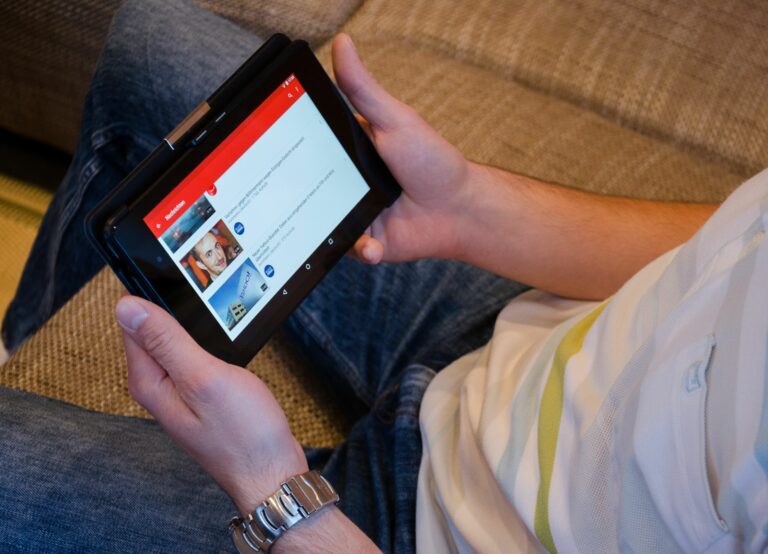

YouTube advertising is one of the fastest ways to turn attention into measurable demand, but only if you match the right format, bid model, and creative to the job you need done. In practice, most wasted spend comes from fuzzy objectives, mismatched metrics, and ads that feel like TV spots instead of native video. This guide breaks down the core terms, the main ad formats, and a step-by-step planning framework you can reuse. You will also learn how to blend paid media with creator partnerships so your ads look and perform like content. Finally, you will get benchmarks, checklists, and simple calculations you can use in briefs and reporting.
Define the basics before you spend
Before you open Google Ads, define the language your team will use so reporting stays clean. CPM is cost per thousand impressions – you pay for exposure, not necessarily attention. CPV is cost per view – on YouTube it usually means you pay when someone watches past a threshold or interacts, depending on the format. CPA is cost per acquisition – you pay (or optimize) toward a conversion like a purchase, lead, or sign-up. Reach is the number of unique people who saw your ad, while impressions count total times the ad was served, including repeats.
Engagement rate is the share of people who took an action (likes, comments, shares, clicks) divided by a base like views or impressions – always specify the denominator. For creator-led campaigns, whitelisting means running ads through a creator’s channel or handle with permission, which can lift trust and performance. Usage rights define where and how long you can use creator content (for example, paid ads for 90 days in the US). Exclusivity is a restriction that prevents a creator from working with competitors for a period – it has a real cost and should be priced explicitly.
Takeaway: Put these definitions into your brief and your dashboard. If your team cannot agree on what a “view” or “engagement rate” means, you cannot compare results across campaigns.
YouTube advertising formats and when to use each
YouTube offers multiple placements that behave differently, so start with the outcome you need. If you want broad awareness with efficient reach, use skippable in-stream and optimize for reach or completed views depending on your creative. If you need high intent traffic, in-feed video ads (formerly discovery) can work well because the user chooses to click and watch. For short, punchy messages, bumper ads can reinforce frequency, especially when paired with longer creative elsewhere.
Here is a practical decision rule: if your product needs explanation, prioritize skippable in-stream with a strong first five seconds and a clear mid-video proof point. If your product is already understood and you need repetition, use bumpers to maintain mental availability. If your hook is strong and you want self-selected viewers, test in-feed placements with thumbnails and titles that read like content, not like ads.
| Format | Where it appears | Best for | Primary metric | Creative tip |
|---|---|---|---|---|
| Skippable in-stream | Before, during, after videos | Scale, storytelling, prospecting | CPV, CPM, view rate | Hook in 0 to 3 seconds, brand by 5 seconds |
| In-feed video | Search results, Watch Next, Home | High intent traffic, education | CTR, watch time, CPC | Thumbnail and title must earn the click |
| Bumper | In-stream, 6 seconds | Frequency, recall, retargeting | CPM, reach | One idea only, no setup required |
| Non-skippable in-stream | In-stream, fixed length | Short bursts, tentpole moments | CPM, completion rate | Use sparingly, keep it tight and useful |
Takeaway: Choose one primary format for your main objective, then add a second format only if it has a clear job (for example, bumpers for frequency or in-feed for intent).
Costs, bidding models, and simple math you can trust
Costs vary by geo, audience, seasonality, and creative quality, so treat benchmarks as starting points, not promises. Still, you can plan with simple math. CPM is easiest for reach planning: Spend = (Impressions / 1000) x CPM. CPV is useful for video view volume: Spend = Views x CPV. CPA planning needs conversion rate assumptions: CPA = CPC / Conversion rate, and Conversions = Clicks x Conversion rate.
Example: you want 500,000 impressions and you expect a $8 CPM. Your budget estimate is (500,000 / 1000) x 8 = $4,000. If you instead plan for 40,000 views at a $0.06 CPV, your estimate is 40,000 x 0.06 = $2,400. For performance, assume 1.2% CTR and $1.20 CPC, giving 10,000 clicks on $12,000 spend. If your landing page converts at 3%, you get 300 conversions, so your implied CPA is $40.
| Goal | Model to plan with | Planning formula | What to watch weekly | Red flag |
|---|---|---|---|---|
| Awareness | CPM | Budget = (Impressions/1000) x CPM | Reach, frequency, view rate | High frequency with low lift in brand search |
| Consideration | CPV or CPC | Budget = Views x CPV | Watch time, CTR, engaged views | Good CTR but low watch time |
| Conversions | CPA | CPA = Spend / Conversions | CVR, CPA, assisted conversions | CPA stable but AOV falling |
Takeaway: Always pair a cost metric with a quality metric. A cheap CPV is meaningless if watch time is low and conversions never follow.
Targeting that works in 2026: start broad, then earn precision
YouTube targeting has shifted toward automation and intent signals, so overly narrow targeting can choke delivery and inflate costs. Start with a clear structure: one campaign per objective, with ad groups separated by audience strategy. Use broad targeting with strong creative when you have limited data, then layer in first-party signals as you learn. Importantly, keep your measurement clean by limiting the number of variables you change at once.
Practical targeting options include: custom segments built from search terms and URLs (useful for competitor and category intent), in-market audiences for purchase intent, and remarketing for people who watched videos or visited your site. If you have conversion volume, use optimized targeting and let the system find similar users. For brands with creators, you can also build remarketing pools from viewers of creator content and then sequence ads that answer objections.
When you need official definitions and policy details, reference YouTube’s own documentation on ad formats and measurement at YouTube Help. Then translate those rules into a one-page internal playbook so your team applies them consistently.
Takeaway: Begin with one broad prospecting ad group and one remarketing ad group. Only add more segments after you can explain what decision each segment will change.
Creative that feels native: hooks, proof, and structure
YouTube is a content environment, so your ad must earn attention like a video, not demand it like a billboard. Lead with a hook that names the problem or the desired outcome, then show proof quickly. Proof can be a demo, a before and after, a credible testimonial, or a clear comparison. After that, make the next step obvious with a single call to action.
A reliable structure for skippable in-stream is: (1) hook in 0 to 3 seconds, (2) value proposition by 5 seconds, (3) proof by 10 to 15 seconds, (4) offer and CTA, (5) optional second proof point, (6) CTA again. For in-feed ads, treat the thumbnail and title as part of the creative. Write them like a helpful video: “How to choose X” beats “Best X now” in many categories because it matches user intent.
If you want a steady stream of creative angles, study how creators frame product benefits and objections. The InfluencerDB Blog is a good place to build briefs from creator patterns, then translate those patterns into ad scripts and shot lists.
Takeaway: Write three hooks for every concept and test them first. In many accounts, the hook drives more performance variance than targeting tweaks.
Creator partnerships, whitelisting, and usage rights
Creator-led ads can outperform brand-made ads because they borrow trust and match platform culture. There are two common approaches. First, you can run creator content from your own ad account as standard ads, using paid usage rights. Second, you can whitelist and run ads through the creator’s channel, which can improve social proof and sometimes reduce friction in the first seconds.
Negotiate creator deals with a simple rate logic: base fee for production plus a separate line for usage rights, plus a separate line for exclusivity if you need it. Usage rights should specify: platforms (YouTube only or cross-platform), placements (paid ads allowed), duration (30, 90, 180 days), territories, and whether you can edit. Exclusivity should specify category and duration, and it should be priced because it limits the creator’s income.
Here is a practical example clause checklist you can paste into a contract draft:
- Whitelisting permission: creator grants advertiser access to run ads via channel for X days.
- Usage rights: advertiser may use raw and edited assets for paid media on YouTube for X days in Y territories.
- Edits: advertiser may cut for length and add captions, but may not change meaning or add unapproved claims.
- Exclusivity: creator will not promote direct competitors in category Z for X days.
Takeaway: Separate production from usage in pricing. You will avoid confusion later when the media team wants to extend the campaign.
Measurement, attribution, and what to report to stakeholders
Good reporting connects YouTube metrics to business outcomes without pretending attribution is perfect. At the top of the funnel, track reach, frequency, view rate, and watch time. In the middle, track CTR, engaged views, and site behavior. At the bottom, track conversions, CPA, and revenue metrics like AOV and LTV where available. If you run creator ads, compare performance against brand ads using the same objective and similar budgets to avoid false conclusions.
For measurement standards and definitions, the Interactive Advertising Bureau is a useful reference point for video ad measurement concepts and terminology at IAB. Use those definitions to align stakeholders, especially when someone asks why a “view” is not the same as a “click” or a “conversion.”
In practice, build a weekly scorecard with three layers:
- Efficiency: CPM, CPV, CPC, CPA
- Quality: view rate, average watch time, CTR, landing page CVR
- Business: conversions, revenue, assisted conversions, brand search lift proxy (if available)
Takeaway: If efficiency improves but quality drops, you are likely buying cheaper inventory that does not convert. Fix creative and targeting before you scale spend.
Step-by-step launch framework you can reuse
This framework keeps your first launch simple while still giving you room to learn. Start by writing a one-sentence objective, then pick the format and the primary KPI that matches it. Next, build a measurement plan with naming conventions, conversion tracking, and a reporting cadence. After that, create two to four ad variants that test hooks, not just colors or captions.
- Set the objective: awareness, consideration, or conversions. Choose one.
- Pick the KPI: CPM and reach for awareness, CPV and watch time for consideration, CPA for conversions.
- Build audiences: one broad prospecting group, one remarketing group, one optional intent group.
- Create ads: at least 2 hooks x 2 proof styles (demo vs testimonial) for a minimum of 4 variants.
- Set budget and learning window: run 7 to 14 days without major edits unless delivery breaks.
- Evaluate: pause losers, iterate winners, then scale budget by 20% to 30% at a time.
Takeaway: Treat the first two weeks as a learning sprint. Your job is to discover which message earns attention and which audience converts, not to perfect the account structure.
Common mistakes that quietly waste budget
Most YouTube underperformance is predictable. One common mistake is optimizing for the wrong metric, such as chasing cheap views when you actually need qualified site traffic. Another is running one long ad and assuming the platform will “find the audience,” even though the first five seconds do not explain why anyone should care. Teams also often over-segment audiences and end up with tiny ad groups that never exit learning.
- Using CPM benchmarks as a success metric without checking watch time or brand lift proxies
- Changing targeting, bids, and creative all in the same week, which destroys learnings
- Ignoring frequency, then wondering why performance decays after week three
- Buying exclusivity from creators without defining the category and duration
Takeaway: If you cannot explain what decision a change will enable, do not make it. Keep a simple change log so you know what caused what.
Best practices for consistent gains
Consistency comes from repeatable habits, not one-time hacks. Refresh creative on a schedule based on spend and frequency, not on vibes. Use a testing plan that isolates one variable at a time, such as hook, offer, or proof. When you work with creators, build a content pipeline so you always have new angles to test, and lock usage rights early so the media team can scale winners.
- Write for sound-off: captions and on-screen text should carry the core message.
- Brand early: show the product or logo within 5 seconds to avoid wasted views.
- Sequence ads: prospecting video, then remarketing with proof and offer.
- Use negatives in custom segments: exclude irrelevant intent terms to reduce waste.
- Document learnings: keep a simple library of hooks, claims, and proof that worked.
Takeaway: The best accounts look boring in structure and aggressive in creative iteration. Put your energy into message testing and clean measurement, then scale what wins.