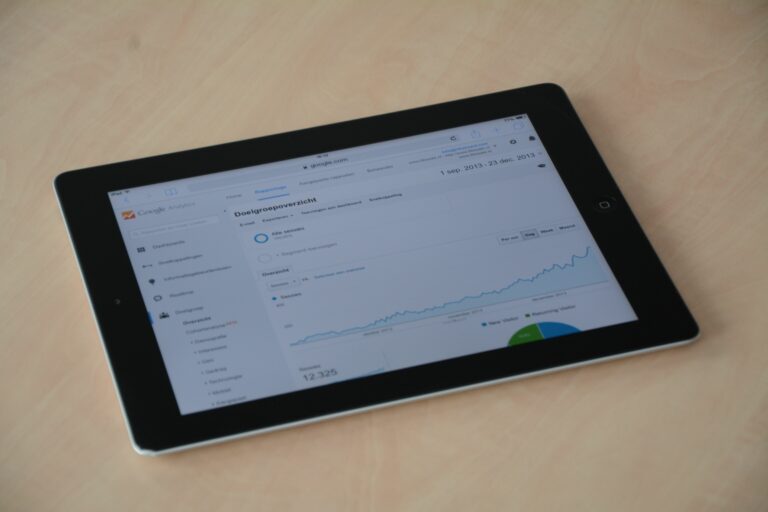

Google Analytics segments are the fastest way to separate influencer-driven sessions, conversions, and revenue from the rest of your marketing data. If you run creator campaigns, that separation matters because blended traffic hides what is actually working and what is just along for the ride. In this guide, you will learn how to build modern segments that answer practical questions: Which creators bring new users, which posts drive assisted conversions, and which audiences bounce after one page. Along the way, you will also see how to connect segments to UTMs, landing pages, and conversion events so your reporting holds up in a budget meeting. The goal is not prettier dashboards – it is decision-ready evidence.
Google Analytics segments: what changed and what to use now
Segments have existed for years, but the “advanced segments” idea has evolved as Google moved from Universal Analytics to GA4. In GA4, you typically work with comparisons, explorations, and audiences rather than the old left-nav segment builder. Functionally, though, the job is the same: isolate a subset of users or sessions based on rules, then analyze behavior and outcomes. That is why you should think in three layers: acquisition rules (how they arrived), behavior rules (what they did), and outcome rules (what they converted into). Once you adopt that model, you can recreate most “advanced segments” in GA4 Explorations and reuse them across reports.
Concrete takeaway: write your segment goal as a single sentence before you build anything, such as “Sessions from influencer UTMs that reached product pages and triggered add_to_cart.” That sentence becomes your rule set. If you need a refresher on GA4’s building blocks, Google’s own documentation on events and parameters is the best reference point: GA4 events overview.
Define the metrics and deal terms you will measure (so segments map to reality)

Before you segment, define the terms you will use in briefs and reports. Otherwise, you will end up with a “successful” segment that does not match what you paid for. Here are the essentials, in plain language, plus how they connect to analytics.
- Reach: unique people who saw content on-platform. In GA, you cannot measure reach directly; you infer downstream impact via sessions and new users.
- Impressions: total times content was shown. Again, this is platform-side; you can import it into spreadsheets for blended reporting.
- Engagement rate: typically engagements divided by impressions (platform definition varies). In GA, you can measure engaged sessions rate, which is different.
- CPM (cost per mille): cost per 1,000 impressions. Formula: CPM = (Cost / Impressions) x 1000.
- CPV (cost per view): cost per video view. Formula: CPV = Cost / Views.
- CPA (cost per acquisition): cost per conversion. Formula: CPA = Cost / Conversions.
- Whitelisting: brand runs ads through a creator handle. This changes attribution expectations because paid amplification can dwarf organic clicks.
- Usage rights: permission to reuse content (for ads, email, site). This affects value even if GA conversions are modest.
- Exclusivity: creator agrees not to work with competitors for a period. This is a cost driver that does not show up in GA, so document it separately.
Concrete takeaway: include a one-line measurement clause in your influencer agreement that states the conversion event and attribution window you will use for reporting. If you want a compliance-safe baseline for disclosures, the FTC’s endorsement guidance is the authority: FTC endorsements and influencer guidance.
Build a clean tracking foundation: UTMs, landing pages, and event naming
Advanced segmentation fails when tracking is messy. The fix is boring but powerful: consistent UTMs and consistent event definitions. Start with UTMs that encode creator identity and content type, then make sure your site events reflect meaningful steps in the funnel. In GA4, you will usually segment by session source and medium, campaign, landing page, and key events such as purchase, generate_lead, or sign_up.
Use this UTM pattern for influencer links (adapt to your naming conventions):
- utm_source: influencer (or the platform, but be consistent)
- utm_medium: creator (or paid_creator if whitelisting)
- utm_campaign: brand_campaignname_yyyymm
- utm_content: creatorhandle_format (example: janedoe_reel)
- utm_term: optional for offer code or audience angle
Concrete takeaway: reserve utm_content for creator and format, because it makes segmentation and pivot tables far easier later. Also, publish a one-page tracking spec internally so agencies and creators do not improvise. For more campaign measurement ideas you can apply to creator programs, browse the InfluencerDB blog resources and align your naming to the reporting you want to ship.
Segment framework for influencer campaigns: acquisition, behavior, outcome
Instead of building one giant “influencer segment,” build a small set of reusable segments that answer specific questions. This approach reduces confusion and makes it easier to compare creators fairly. Below is a practical framework you can implement in GA4 Explorations using comparisons and filters.
| Segment type | Rule examples (GA4 dimensions) | Best for | Decision you can make |
|---|---|---|---|
| Acquisition segment | Session campaign contains brand_campaignname; Session medium equals creator | Traffic quality by creator | Scale creators who bring engaged sessions, not just clicks |
| Landing page segment | Landing page contains /creator/janedoe or /offer | Offer and landing page testing | Decide which landing page variant to keep |
| Behavior segment | Event count for view_item > 0; Engaged sessions = true | Mid-funnel intent | Identify creators who send shoppers, not browsers |
| Outcome segment | Key event equals purchase or generate_lead | Direct response performance | Reallocate budget based on CPA and revenue per session |
| New user segment | New/established = New | Prospecting impact | Justify upper-funnel spend with new customer growth |
Concrete takeaway: always pair an acquisition segment with either a behavior or outcome segment. “Influencer traffic” alone is not a performance story. “Influencer traffic that reached checkout” is.
Step by step: create advanced segments in GA4 Explorations
GA4’s UI changes, but the workflow is stable. You will get the most control in Explorations, where you can build segment conditions and compare them side by side. Here is a step-by-step method that works for most influencer programs.
- Confirm your key events: In Admin, ensure purchase, generate_lead, sign_up, or your primary conversion is marked as a key event. If you do not do this first, your “outcome segment” will be unreliable.
- Open an Exploration: Use Free form to start. Add dimensions such as Session campaign, Session source/medium, Landing page, and Device category.
- Create a segment: Add a Session segment for influencer UTMs. Example condition: Session campaign contains brand_campaignname_yyyymm AND Session medium equals creator.
- Add a second segment: Create a comparison segment for non-influencer traffic, such as Session campaign does not contain brand_campaignname_yyyymm. This gives you a baseline.
- Layer behavior: Add a filter or a second segment that requires engaged sessions, view_item, or add_to_cart. Keep it simple so you can explain it.
- Validate with spot checks: Click into a few rows and confirm the landing pages and campaign names look right. If you see misspellings, fix UTMs at the source and annotate the reporting period.
- Save and reuse: Save the exploration and document the segment definition in your campaign tracker so everyone uses the same logic.
Concrete takeaway: build one “gold standard” exploration template and duplicate it per campaign. That keeps your definitions consistent and reduces the temptation to tweak rules until the numbers look nice.
Influencer ROI math you can run inside segments (with examples)
Segments become valuable when they tie to money. You do not need complex attribution modeling to make smarter decisions; you need consistent formulas and a habit of comparing like with like. Use these calculations for each creator segment and for the aggregated influencer segment.
- Conversion rate (CVR): CVR = Conversions / Sessions
- Revenue per session (RPS): RPS = Revenue / Sessions
- CPA: CPA = Total creator cost / Conversions
- ROAS (if you treat creator spend like media): ROAS = Revenue / Creator cost
Example: You pay $2,000 to a creator. Your segment shows 800 sessions, 24 purchases, and $3,600 revenue. CVR = 24 / 800 = 3%. CPA = 2000 / 24 = $83.33. ROAS = 3600 / 2000 = 1.8. Now add context: if your blended site CVR is 2% and your paid social CPA is $95, this creator is outperforming your baseline even before you count assisted conversions.
Concrete takeaway: report both CPA and RPS. CPA tells you efficiency, while RPS tells you traffic quality even when conversion volume is still small.
Reporting tables you can copy: segment KPIs and decision rules
To make segments operational, you need a consistent reporting view. The tables below are designed to fit into a weekly update or post-campaign wrap. They also force you to state the decision rule, which prevents endless debate.
| KPI | Where to pull it (GA4) | Good signal | Red flag | Action |
|---|---|---|---|---|
| Engaged sessions rate | Engagement metrics within influencer session segment | > site average by 10%+ | < site average by 10%+ | Improve landing page match to creator promise |
| Conversion rate | Key events per session in segment | At or above baseline | High clicks, low CVR | Test offer, simplify checkout, adjust audience fit |
| Revenue per session | Total revenue divided by sessions in segment | Higher than paid social RPS | Low RPS despite high engagement | Shift creators toward higher intent formats |
| New user share | New/established dimension in segment | High for prospecting campaigns | Mostly returning users for awareness spend | Refresh creator list, adjust targeting and creative angle |
| Assisted conversions | Advertising or attribution reports (where available) | Meaningful lift vs baseline | Only last-click value | Use a blended scorecard, not last-click only |
Concrete takeaway: decide in advance what “good” means for each KPI. If you wait until after the campaign, you will end up moving the goalposts.
Common mistakes with advanced segments (and how to fix them)
Most segment errors are not technical; they are process problems. First, teams mix naming conventions, so half the creator links land in “(not set)” or in the wrong campaign bucket. Second, they segment on the wrong scope, such as using user-level logic when they need session-level attribution for a specific post. Third, they forget about whitelisting and paid boosts, then blame creators for traffic that was actually driven by ads. Finally, they treat discount codes as perfect attribution, even though codes often leak to coupon sites and group chats.
Concrete takeaway checklist:
- Audit UTMs weekly and fix errors at the source, not in spreadsheets.
- Use session-based segments for campaign performance, and user-based segments for retention analysis.
- Tag whitelisting traffic with a distinct medium (example: paid_creator) so you can separate it cleanly.
- Use codes as a secondary signal, not the only source of truth.
Best practices: make segments trustworthy for creator negotiations
Once your segments are stable, they become a negotiation tool. You can show creators what worked, propose new angles, and justify pricing with evidence rather than vibes. Start by sharing a simple performance summary: sessions, engaged sessions rate, key events, and top landing pages. Then connect that to the deliverables you want next time, such as more story frames with a clear CTA or a pinned comment that repeats the offer. If you offer usage rights, track the downstream value separately so you do not over-penalize creators whose content performs better as paid creative than as organic traffic.
Concrete takeaway: build a two-part scorecard for each creator: (1) on-site performance from your segment, (2) on-platform performance from screenshots or exports. When both point in the same direction, you can scale with confidence. For official guidance on UTM structure and campaign tagging, Google’s documentation is the safest reference: Google campaign URL builder and UTM parameters.
A simple implementation plan for your next campaign
If you want to apply this immediately, run a short implementation sprint before your next creator drop. Day 1: finalize UTM rules and publish them in your campaign brief. Day 2: confirm GA4 key events and test them end to end with a staging purchase or lead. Day 3: build your exploration template with three segments – influencer sessions, influencer high-intent (add_to_cart or view_item), and influencer converters. Day 4: QA with two creators and fix naming issues before the full launch. Day 5: ship a one-page reporting view with the decision rules you will use to renew, renegotiate, or pause creators.
Concrete takeaway: do not aim for perfect attribution. Aim for consistent segmentation that lets you compare creators fairly and improve the system every cycle.