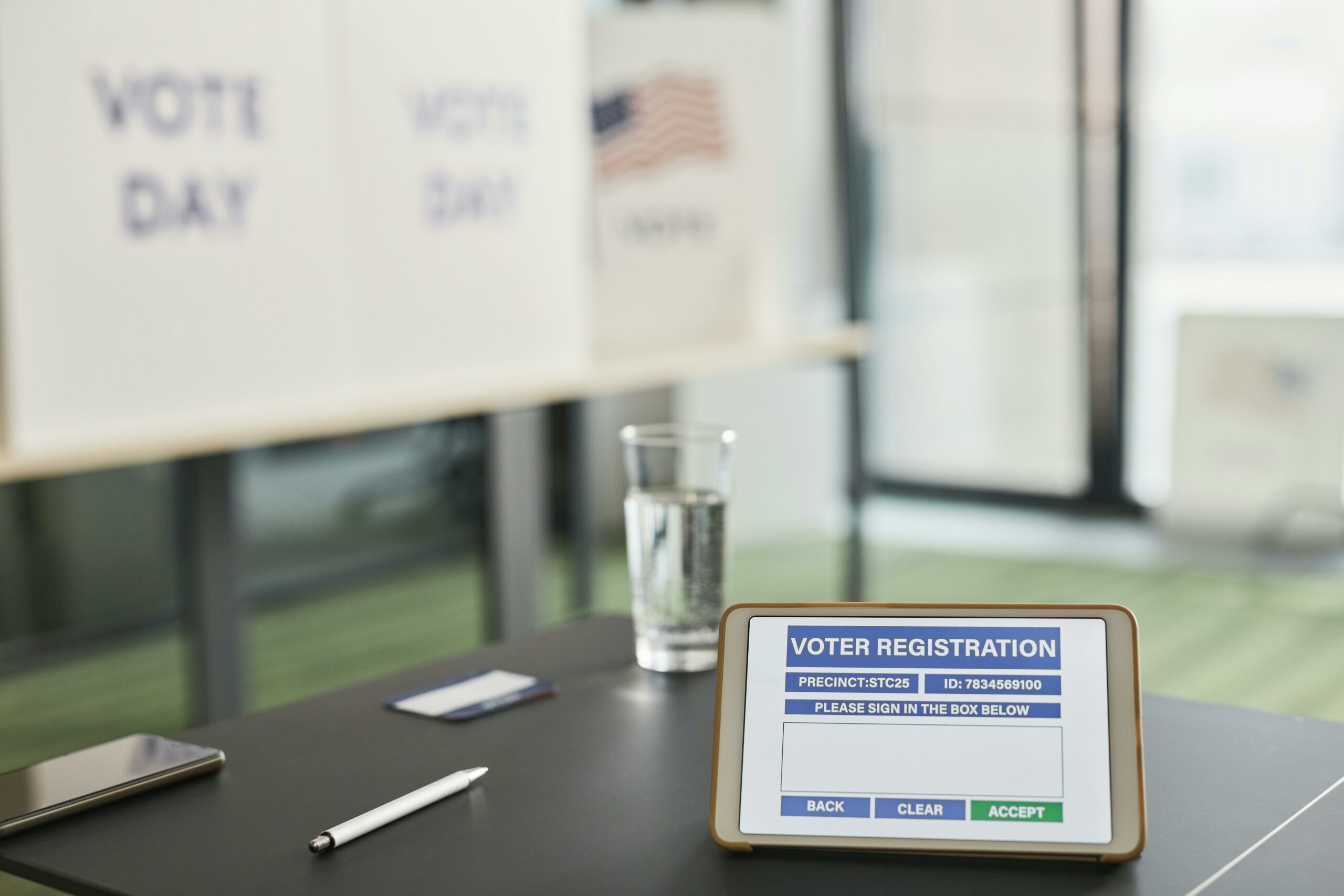

Webinar lead generation is easiest to improve when you treat it like a measurable funnel, not a one-off promotion. In practice, that means you define the offer, pick channels that match intent, instrument tracking, and then optimize for cost per lead and show-up rate. If you are using creators or brand social, you also need clear usage rights and a plan for repurposing the best clips. Finally, you should decide upfront what a “good lead” means for your sales cycle so you do not celebrate volume that never turns into pipeline.
Webinar lead generation starts with clear definitions and a baseline
Before you change creative or spend, align on the terms you will use in reporting. This avoids the classic situation where marketing reports “leads” while sales reports “no-shows” and finance reports “too expensive.” Start by writing the definitions into your campaign brief and keeping them consistent across platforms and creators. Then, pull one baseline webinar from the last 60 to 90 days so you can compare apples to apples. As a rule, you should not optimize anything until you can measure it the same way every time.
- Reach – unique people who saw your content at least once.
- Impressions – total views, including repeats.
- Engagement rate – engagements divided by impressions (or reach) times 100; define which denominator you use.
- CPM – cost per 1,000 impressions: CPM = (Spend / Impressions) x 1000.
- CPV – cost per video view: CPV = Spend / Views (define view threshold per platform).
- CPA – cost per acquisition; for webinars, specify the acquisition event, usually registration or attended.
- Whitelisting – running ads through a creator’s handle (creator grants access) to use their identity and social proof in paid.
- Usage rights – permission to reuse creator content (where, how long, and in what formats).
- Exclusivity – restrictions preventing a creator from promoting competitors for a period or within a category.
Concrete takeaway: pick one primary KPI and one quality KPI. For example, use CPA per registration as the primary KPI and attendance rate (attendees divided by registrants) as the quality KPI. That pairing prevents you from buying cheap leads that never show.
Build an offer and landing page that earn the registration

Most webinar funnels fail before traffic even arrives because the offer is vague. A webinar title like “Generating Webinar Leads” is fine internally, but the audience needs a specific promise and a clear outcome. Therefore, rewrite the headline as a result plus a time frame or constraint, such as “Get 50 qualified demo requests from one webinar in 30 days.” Next, make the landing page do less: one action, one form, one primary proof point. If you ask for too many fields, you will raise lead quality slightly but often destroy volume and inflate CPA.
Use this landing page checklist as a decision rule: if a visitor cannot understand the topic, who it is for, and what they will walk away with in under 10 seconds, the page is not ready for paid or influencer traffic.
- Headline that states outcome and audience.
- Three bullets that match the agenda (avoid generic “best practices”).
- Speaker credibility with one proof point each (role, results, or recognizable brand).
- Time and timezone plus an “add to calendar” confirmation page.
- Social proof like “10,000 marketers attended” or one short testimonial.
- FAQ that answers “Is this recorded?” and “Who is this not for?”
For guidance on structuring marketing content that supports conversion, you can also browse the InfluencerDB Blog marketing guides and adapt the same clarity principles to your webinar page and follow-up emails.
Choose channels and creators based on intent, not hype
Channel selection should follow intent. Search and email often capture high intent, while social and creators can create demand when the topic is timely and the hook is sharp. However, creator-driven webinar promotion works best when the creator already teaches the problem your webinar solves. In other words, you are borrowing trust, not just reach. Start by mapping your audience to where they already learn: LinkedIn for B2B operators, YouTube for how-to depth, TikTok for top-of-funnel curiosity, and niche newsletters for high-signal communities.
When you evaluate creators, do not lead with follower count. Instead, look for repeated evidence that their audience takes action: saves, long comments, link clicks, and previous event promotions. If you can, ask for screenshots of link click-through or story link taps from similar campaigns. Also, decide whether you need whitelisting; if you plan to scale with paid, negotiate it upfront so you are not stuck with organic-only performance.
| Channel | Best for | Typical webinar angle | Key risk | Practical fix |
|---|---|---|---|---|
| LinkedIn organic | B2B decision makers | Framework + case study | Low click intent | Use a strong CTA and pin the registration link |
| Creator posts | Borrowed trust | “I will show you how I do it” | Audience mismatch | Require audience fit proof and a content outline |
| Paid social | Scalable testing | Problem agitation + promise | Cheap leads, low show-up | Optimize to attended or engaged events when possible |
| High intent lists | Direct invite | List fatigue | Segment by role and pain point | |
| Partners | Qualified co-marketing | Joint workshop | Misaligned incentives | Agree on lead sharing and follow-up rules |
Concrete takeaway: if your webinar is mid-funnel, prioritize channels where people already learn and compare tools. For most B2B topics, that means LinkedIn, YouTube, newsletters, and creators with educational audiences, then retargeting to push registrations.
Tracking and attribution: set up the math before you spend
Attribution is where webinar campaigns quietly break. You cannot optimize creator partnerships or paid ads if every registration looks the same in your CRM. Start with UTM discipline: one naming convention, one spreadsheet, and no exceptions. Next, ensure your registration platform passes UTMs into your marketing automation and CRM fields. If you are using Google Analytics, confirm that cross-domain tracking is working if your landing page and registration form live on different domains.
Google’s documentation on building consistent campaign tracking is a solid reference for UTMs and measurement hygiene: Google Analytics campaign URL builder guidance.
Use simple formulas to keep the team aligned:
- Registration conversion rate = Registrations / Landing page sessions
- Show-up rate = Attendees / Registrations
- Cost per registration = Spend / Registrations
- Cost per attendee = Spend / Attendees
Example calculation: you spend $3,000 across creators and paid social, drive 1,200 landing page sessions, and get 180 registrations. Your registration conversion rate is 180 / 1,200 = 15%. Your cost per registration is $3,000 / 180 = $16.67. If 72 people attend live, your cost per attendee is $3,000 / 72 = $41.67. That last number is often the one that correlates better with pipeline, so track it even if you do not optimize to it yet.
Concrete takeaway: report both CPA per registration and CPA per attendee from day one. If a channel looks “cheap” on registrations but expensive on attendees, you have a targeting or expectation problem, not a budget problem.
Creator briefs and deliverables that actually drive sign-ups
A creator promotion for a webinar is not the same as a product plug. The content needs to sell the problem, then make the webinar feel like the fastest path to a solution. Provide a brief that includes the hook, three talking points, and proof the creator can borrow from you, such as a mini case study or a specific stat. Also, specify the CTA mechanics: link in bio, story link sticker, pinned comment, or YouTube description. Finally, give creators a “why now” angle like limited seats, live Q&A, or a downloadable template for attendees.
| Deliverable | What to say | CTA placement | Tracking | Optimization lever |
|---|---|---|---|---|
| Short video (30 to 60s) | One pain point + one promise | Pinned comment + bio link | Creator UTM link | Test 2 hooks in first 2 seconds |
| Story sequence (3 frames) | Problem, proof, invite | Link sticker | UTM + story link taps | Add a poll before the link |
| LinkedIn post | Mini lesson + webinar tease | First comment link | UTM + comment tracking | Use a carousel with the agenda |
| Email to creator list | Direct invite + bullets | Button link | Unique UTM | Subject line test |
| Live clip | Answer one audience question | On-screen URL | Vanity URL redirect | Pin the registration comment |
Concrete takeaway: require two versions of the opening hook from each creator. In reporting, compare hook A vs hook B by click-through rate and registrations per 1,000 views, then reuse the winner in whitelisted ads if you have permission.
Pricing, rights, and negotiation: protect performance and reuse
Webinar promos often underperform because the deal structure is vague. You want to pay for deliverables, but you also want incentives tied to results you can measure. A practical compromise is a flat fee for content creation and posting, plus a performance bonus for registrations or attendees above a threshold. If you plan to run paid, negotiate whitelisting and usage rights in writing, including duration and allowed placements. Exclusivity should be narrow; otherwise you will pay for restrictions that do not move your numbers.
Here is a simple structure you can adapt:
- Base fee for agreed deliverables and one round of edits.
- Usage rights for 90 days across paid social and landing page embeds.
- Whitelisting access for 30 to 60 days if you plan to scale winners.
- Performance bonus such as $X per registration after the first Y registrations, capped.
Decision rule: if your registration conversion rate is already strong but volume is low, pay for reach and distribution. If volume is high but show-up is weak, shift incentives toward attended, not registered.
Concrete takeaway: write a one-page “rights summary” in plain English that lists where content can run, for how long, and whether you can edit it into ads. It prevents surprises when your best-performing clip becomes the one you cannot reuse.
Improve show-up rate with reminders, calendar friction removal, and content previews
Registrations are not the finish line. Show-up rate is where webinar economics are won or lost because your sales team cannot follow up with people who never engaged. Start with calendar invites that work on mobile, then add a reminder sequence that is short and specific. In addition, publish one preview clip that teaches a small piece of the webinar and ends with “we will go deeper live.” That preview increases intent and reduces the number of low-fit sign-ups.
For email and consent practices, keep your registration forms and follow-ups aligned with privacy expectations and local rules. The FTC’s resources on advertising and marketing compliance are a useful starting point for teams that mix paid, creators, and email: FTC advertising and marketing guidance.
- T minus 24 hours: reminder with 3 bullets on what they will learn.
- T minus 1 hour: short reminder with the join link and “add to calendar” again.
- T minus 10 minutes: plain-text “we are starting” message.
- During live: drop the promised template link in chat to reward attendance.
- After: send the recording to no-shows with one key timestamp and a clear next step.
Concrete takeaway: track show-up rate by channel and creator, not just overall. If one creator drives high registrations but low attendance, their audience may be curious but not committed, so adjust the hook or tighten targeting.
Common mistakes and best practices for repeatable results
Common mistakes tend to be predictable. Teams over-index on registrations, ignore landing page conversion rate, and then blame the channel. They also let creators improvise the CTA, which often means the link is hard to find or the “why attend” is missing. Another frequent issue is missing UTMs or inconsistent naming, which makes performance look random. Finally, many campaigns forget to negotiate usage rights, so the best content cannot be turned into ads or evergreen clips.
- Mistake: optimizing for CPM instead of registrations or attendees. Fix: set CPA targets and monitor conversion rates weekly.
- Mistake: asking for too many form fields. Fix: start with email plus one qualifier, then enrich later.
- Mistake: one generic creative for every audience. Fix: write two angles by persona and match creators accordingly.
- Mistake: no plan for repurposing. Fix: assign an editor to cut 5 to 10 clips within 48 hours.
Best practices are mostly about discipline and iteration. Use a consistent brief template, run small tests before scaling, and keep a running “what worked” doc that includes hooks, thumbnails, and CTAs. Also, treat your webinar as a content engine: the live event is one moment, but the clips, quotes, and follow-up emails can drive leads for weeks. When you publish learnings, make them specific, such as “hook mentioning a numeric outcome beat the generic hook by 38% on registrations per 1,000 views.”
- Best practice: create one “hero” clip and three variations for different pain points.
- Best practice: retarget landing page visitors with a shorter, more direct ad.
- Best practice: use creator whitelisting to scale the top performer without begging for reposts.
- Best practice: review results 72 hours after launch, then again at day 7, and only then make budget decisions.
Concrete takeaway: build a simple scorecard for every webinar: sessions, registrations, attendees, CPA per registration, CPA per attendee, and pipeline created. If you keep that scorecard consistent, your webinar lead generation will improve faster with every cycle.