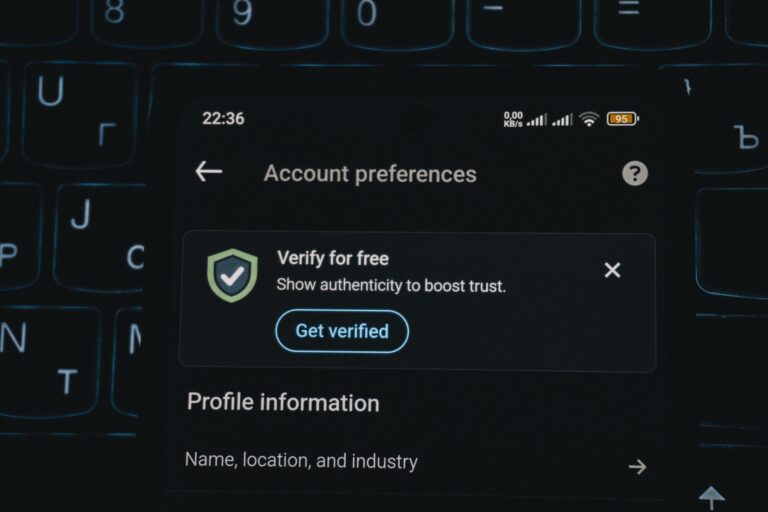

Get Verified on Facebook is easier to approach when you treat it like a documentation and credibility project – not a popularity contest. In this guide, you will learn what Meta looks for, how to prepare your profile like a brand asset, and how to submit an application that stands up to review. Because verification affects trust, impersonation risk, and even how partners evaluate you, it is worth doing carefully. We will also connect verification to influencer marketing basics, so creators and brands can make smarter decisions with fewer surprises. Finally, you will get checklists, tables, and examples you can copy into your workflow.
What verification means – and what it does not
Facebook verification is the blue badge that signals an account is the authentic presence of a notable person, brand, or organization. It is designed to reduce impersonation and confusion, especially when multiple pages or profiles have similar names. However, verification is not a guarantee of reach, algorithmic preference, or monetization eligibility. In practice, it functions like a trust layer: it can improve conversion on profile visits, reduce friction in partnerships, and help customer support teams route issues faster. Still, you should treat it as one component of a broader credibility system that includes consistent branding, press coverage, and clean account history.
It also helps to separate two concepts people mix up: verification and subscription-based identity products. Meta has offered paid identity options in some regions, but the classic verification badge is still tied to authenticity and notability. That distinction matters because your preparation should focus on evidence and public presence, not only on account settings. If you are a creator, think of verification as a brand safety signal for sponsors. If you are a marketer, think of it as a risk control that reduces the chance you brief or pay the wrong account.
Takeaway: Treat verification as a credibility audit. If your public footprint is thin or inconsistent, fix that first instead of rushing the application.
Get Verified on Facebook: eligibility checklist and decision rules

Meta does not publish a single numeric threshold for approval, so you need decision rules you can apply before you submit. The platform generally evaluates authenticity (are you who you say you are), uniqueness (is this the one official presence), completeness (is the account filled out and active), and notability (is there meaningful public interest). Notability is where most applications fail, so you should build a small evidence pack before you click submit. Also, you should expect reviewers to be conservative when the name is generic or shared by many people.
Use this checklist to decide whether you are ready. If you cannot check most boxes, spend two to four weeks improving your footprint and then apply.
- Authentic: Government ID for individuals or business documents for brands are available and match the account name.
- Unique: You have one primary Page or Profile representing you or your business.
- Complete: Profile photo, cover image, bio, category, contact info, and at least a few recent posts are present.
- Notable: You have third-party coverage or references from credible sources, not just your own channels.
- Secure: Two-factor authentication is enabled and you control the email and phone on the account.
- Clean history: No recent policy violations, suspicious growth, or repeated name changes.
| Criterion | What reviewers likely look for | What you can do this week |
|---|---|---|
| Authenticity | Matching legal identity and consistent naming | Align Page name, username, and website name; prepare ID or business docs |
| Notability | Independent mentions in reputable sources | Create a press page; pitch one story to a local outlet; update Wikipedia or Wikidata only if truly eligible |
| Completeness | Active account with clear purpose | Publish 6 to 10 posts over 2 weeks; add category, bio, and contact info |
| Uniqueness | Single official presence | Merge duplicate Pages where possible; deprecate old Pages with a pinned redirect post |
| Trust and safety | Low risk of deception or manipulation | Enable 2FA; remove suspicious admins; audit connected apps |
Takeaway: If you lack independent coverage, do not “hope” your follower count compensates. Build notability signals first, then apply.
Prepare your account like a brand asset (before you apply)
Preparation is where you can meaningfully improve your odds. Start with naming consistency: your Page name, username, website, and other social handles should match closely. Next, clean up your About section so a reviewer can understand who you are in 10 seconds. Add a short bio that states what you do, where you operate, and why people search for you. Then, make sure your profile photo is a clear face shot or logo, and your cover image reinforces your identity rather than a random collage.
After that, review your Page roles and security. Remove inactive admins, confirm business email ownership, and enable two-factor authentication for every admin. If you are a brand, ensure your website has a clear imprint or contact page. If you are a creator, add links to your official site, press kit, or media features. For a practical marketing angle, keep a public-facing “brand partner” highlight post pinned that explains your niche, audience, and contact method. That single post can also help reviewers understand your account’s purpose.
If you want a deeper library of practical influencer operations, you can browse the InfluencerDB Blog for frameworks on creator selection, outreach, and measurement. Even though verification is a platform topic, it sits inside the same credibility and risk management system you use for campaigns.
Takeaway: Make your profile readable like a press page: clear identity, clear purpose, clear contact path, and clean security.
Step by step: how to apply for Facebook verification
Once your account is ready, apply through the official verification flow inside Facebook. The exact menu labels can change, but the process usually asks you to confirm the account, upload documents, and provide supporting context. Do not rush the “supporting information” field. That text is your chance to explain why people might search for you and how to distinguish you from similarly named accounts.
- Choose the correct entity type: Person, brand, or organization. Pick the one that matches your documentation.
- Select the exact Page or Profile: Double-check you are applying for the primary presence, not a regional or legacy Page.
- Upload documents: Use high-quality scans. For individuals, provide government-issued ID. For businesses, provide registration documents and proof of address if requested.
- Add supporting links: Include official website, press coverage, and authoritative references. Avoid low-quality directories.
- Write a short context note: State your niche, region, and why you are notable. Mention confusion risk if impersonators exist.
- Submit and wait: Do not repeatedly resubmit in a short window. Instead, improve notability signals and reapply later if rejected.
For the most accurate, current requirements, rely on Meta’s official documentation rather than forum advice. Start with Meta’s help resources and policy pages, because they reflect the latest review criteria and document types accepted. See Facebook Help Center for official guidance and updates.
Takeaway: Your application is a mini dossier. Strong documents plus strong third-party references beat a long list of self-owned links.
Notability signals that actually help (and how to build them)
Notability is the hardest part because it depends on independent evidence. Reviewers typically trust third-party sources more than your own posts. Therefore, prioritize coverage from reputable publications, industry associations, event sites, or recognized databases in your field. If you are a creator, that might be interviews, festival lineups, podcast guest pages, or awards. If you are a brand, it might be press releases picked up by credible outlets, certifications, or major partnerships that are publicly documented.
Build notability with a simple three-layer approach. First, secure one or two strong references that clearly name you and match your account name. Next, create a press page on your website that lists those references with dates and links. Then, keep your public identity consistent across platforms so the web graph connects. When you apply, include the strongest two to five links rather than a messy list of twenty. Quality is easier to verify than quantity, and reviewers are time-limited.
Also, avoid shortcuts that can backfire. Buying press placements on low-quality sites, inflating followers, or using engagement pods can create suspicious patterns that undermine trust. If you need a reality check on what “healthy” performance looks like, you should benchmark engagement rate and audience quality before you chase verification. As a general reference for social metrics definitions, the IAB guidelines are a useful starting point.
Takeaway: Two strong, independent references that match your name are more persuasive than dozens of weak mentions.
Influencer marketing terms you should understand before you pitch the badge
Verification often comes up in brand negotiations, so it helps to speak the same measurement language. Here are key terms, defined in practical ways you can use in a media kit or campaign brief. Reach is the number of unique people who saw content. Impressions are total views, including repeats. Engagement rate is engagement divided by reach or followers, depending on the method, so always specify the denominator. CPM is cost per thousand impressions, a common benchmark for awareness campaigns. CPV is cost per view, often used for video. CPA is cost per acquisition, used when you track purchases, sign-ups, or other conversions.
On the deal-structure side, whitelisting means the brand runs ads through the creator’s handle, usually via permissions, to leverage the creator identity in paid distribution. Usage rights define how the brand can reuse the content, where, and for how long. Exclusivity restricts the creator from working with competitors for a period. These terms matter because verification can increase the perceived value of whitelisting and usage rights, but it does not replace performance proof. If you are negotiating, tie your badge to reduced impersonation risk and higher trust, then support it with metrics.
| Metric or term | Simple formula | How to use it in a pitch |
|---|---|---|
| Engagement rate (by reach) | (Likes + Comments + Shares) / Reach | Best for comparing posts with different reach levels |
| CPM | Cost / (Impressions / 1000) | Translate creator fees into an awareness benchmark |
| CPV | Cost / Video Views | Useful when brands care about completed views or watch time |
| CPA | Cost / Conversions | Best for affiliate, promo code, or tracked landing page campaigns |
| Whitelisting | Not a formula – a permission setup | Charge for access, duration, and spend level, not only for content creation |
| Usage rights | Not a formula – a license | Price by channels, duration, and whether edits are allowed |
Example calculation: A brand pays $1,200 for a post that delivers 80,000 impressions. CPM = 1,200 / (80,000/1,000) = 1,200 / 80 = $15. If your CPM is consistently competitive for your niche, that is a stronger argument than “I should be verified.”
Takeaway: Use verification as a trust signal, but lead with performance metrics and clear deal terms.
Common mistakes that get applications rejected
Many rejections come from avoidable issues. The first is inconsistent identity: the Page name differs from the ID name, or the account uses a nickname that is not widely recognized. Another frequent problem is weak notability evidence, such as linking to personal blog posts, low-quality press sites, or social profiles that you control. Reviewers want independent confirmation, so self-references rarely help. A third issue is an incomplete Page, especially when the About section is blank or the account has not posted recently.
Creators also hurt their chances by changing names repeatedly, running suspicious giveaways that spike followers overnight, or allowing too many unknown admins. Brands sometimes apply from a local franchise Page rather than the main corporate Page, which creates uniqueness conflicts. Finally, some applicants submit blurry documents or mismatched business paperwork, which can trigger an automatic denial. If you were rejected, do not keep resubmitting the same package. Instead, fix one or two root causes, then reapply with stronger evidence.
- Do not use a novelty username that does not match your public name.
- Do not submit twenty weak links instead of three strong ones.
- Do not apply right after a major policy warning or content takedown.
- Do not keep duplicate Pages active with the same branding.
Takeaway: Rejections are often a signal to improve consistency and independent proof, not to “try again” immediately.
Best practices for creators and brands after you get verified
Verification is not the finish line. After approval, protect the badge by tightening security and keeping your identity stable. Enable two-factor authentication, review admin access monthly, and document your recovery options. Next, update your media kit and brand outreach templates to reflect the badge as a trust element, not as a performance promise. For creators, add a short line in your pitch: “Verified on Facebook – official account, safe for whitelisting and paid amplification.” Then, back it up with recent reach and engagement numbers.
Brands should also operationalize verification. When onboarding creators, add a verification check to your due diligence, but do not treat it as fraud-proof. You still need to review audience quality, content history, and brand safety. If you plan to run whitelisted ads, define permissions, duration, and spend caps in writing. For disclosure, keep your sponsored content labeling consistent with platform tools and local rules. The FTC’s endorsement guidance is a solid baseline for disclosure principles: FTC endorsements and influencer guidance.
Takeaway: Use the badge to reduce impersonation risk and speed up partnerships, but keep measurement and compliance processes unchanged.
A simple 14 day plan to improve your approval odds
If you want a concrete sprint, follow this two-week plan. It is designed to improve completeness, consistency, and notability signals without gimmicks. Start by auditing your identity across platforms and fixing mismatches. Then, publish a small run of high-quality posts that show your niche clearly. Meanwhile, assemble your evidence pack: documents, two to five strong references, and a short explanation of why people search for you. By day 14, you should have a clean, coherent profile and an application that reads like it belongs to a public figure or established brand.
- Days 1 to 2: Align Page name, username, website, and bio. Add contact info and category.
- Days 3 to 5: Post 3 pieces of content that reflect your core niche. Pin one “official account” post.
- Days 6 to 8: Security audit – enable 2FA, remove unknown admins, review connected apps.
- Days 9 to 11: Build a press page and collect 2 to 5 independent references that match your name.
- Days 12 to 14: Draft your supporting statement, choose the best links, and submit once.
Takeaway: The fastest wins come from consistency, security, and a small set of credible third-party references.
FAQ: quick answers marketers and creators ask
Does follower count matter? It can help indirectly because larger accounts are more likely to be notable, but there is no published minimum. Notability evidence usually matters more than raw followers.
Can a local business get verified? Sometimes, especially if it has strong public interest or widespread recognition. In many cases, a complete Page and clear branding help, but notability remains the hurdle.
How long does it take? Timelines vary. Plan for days to weeks, and avoid repeated submissions that do not change the evidence.
What if someone is impersonating me? Report the impersonation and document it. Mention the confusion risk in your application, and keep your official identity consistent everywhere.
Takeaway: Verification is a review process, so treat it like one: evidence, clarity, and patience.