
LinkedIn Live guide: if you treat it like a mini broadcast with a clear goal, you can turn one stream into weeks of pipeline-friendly content. Unlike casual social video, LinkedIn Live works best when you plan the topic, guest, and follow-up path before you hit “Go Live.” In this article, you will get a practical workflow for setup, promotion, show-running, and measurement, plus tables you can reuse for briefs and reporting. Along the way, we will define the metrics and deal terms marketers often mix up, so you can brief creators, executives, and sales without confusion.
What LinkedIn Live is good for – and when it is the wrong tool
LinkedIn Live is strongest when your audience needs context, not just a headline. It performs well for product education, thought leadership, hiring and employer brand, event previews, and customer stories. Because the platform skews professional, viewers tolerate longer explanations if the content stays specific and useful. However, it is the wrong tool when your message relies on fast entertainment beats or when you cannot commit to follow-up, because live viewers expect interaction and a next step. As a decision rule, choose Live when you can answer questions in real time and when you have a clear conversion path after the stream.
Takeaway checklist:
- Use Live for: launches, webinars-lite, panels, AMAs, hiring Q and A, customer walkthroughs.
- Avoid Live for: vague “industry chat,” topics without a strong host, or anything you cannot repurpose.
- Pick one primary CTA: newsletter signup, demo request, event registration, or content download.
LinkedIn Live guide to setup: access, tools, and run-of-show
Before creative planning, confirm you can actually go live. LinkedIn requires access approval and you typically stream through a third-party tool rather than natively from a personal profile. Start by checking LinkedIn’s official requirements and supported tools so your team does not build a plan that fails at the last mile. For the most current eligibility details, use LinkedIn’s documentation: LinkedIn Live access and requirements.
Next, lock the basic production choices. Decide whether you will run a simple single-host stream or a multi-speaker show with lower thirds and screen share. Then write a run-of-show that includes timestamps, who speaks, and what appears on screen. A tight outline matters because LinkedIn viewers drop quickly when the first minutes feel unstructured. Finally, assign roles so the host can focus on conversation while someone else handles comments, links, and timing.
Minimum viable setup:
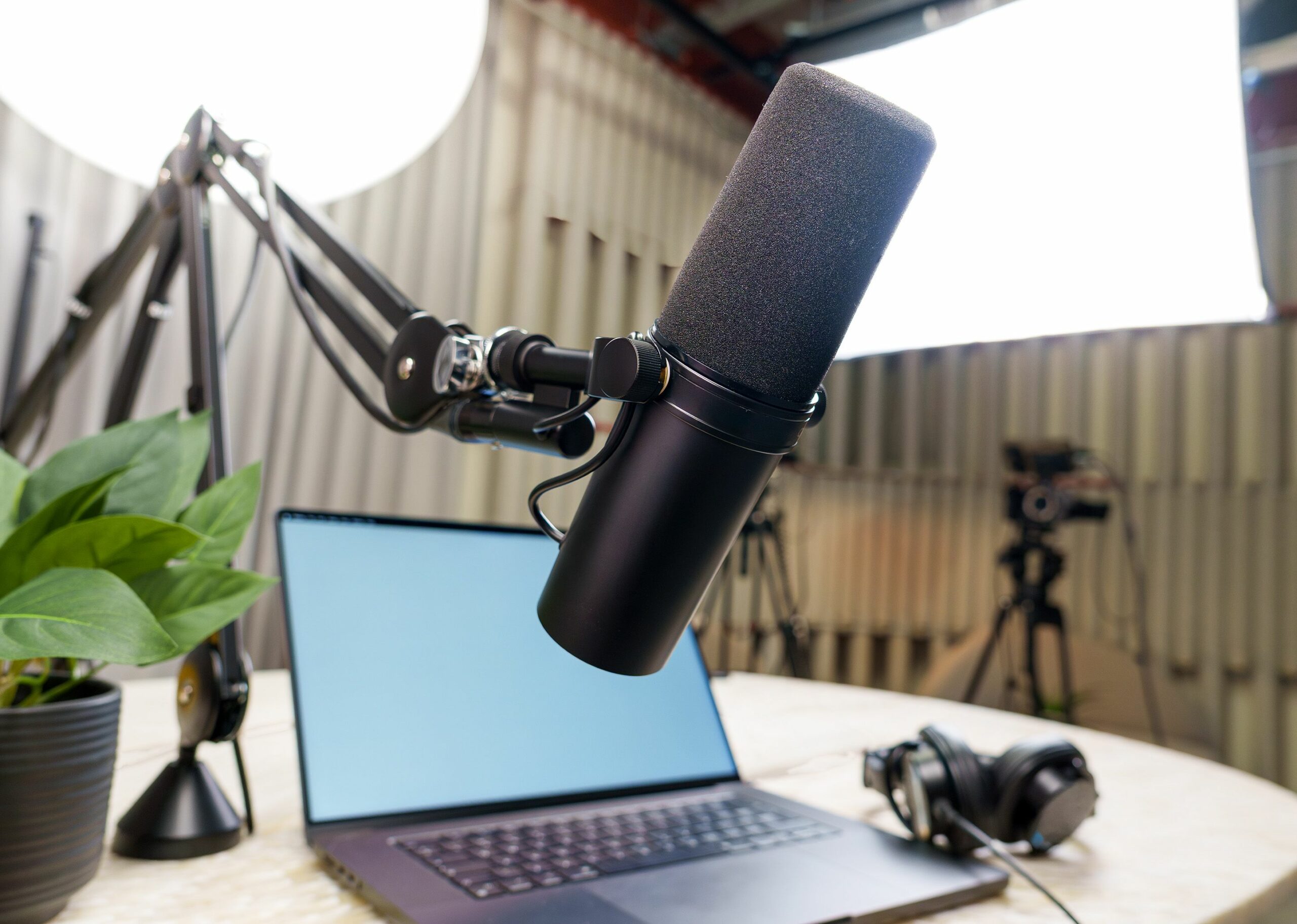
- Host with a stable wired connection, external mic, and simple lighting.
- Moderator to manage comments, post links, and flag questions.
- Producer to handle scenes, screen share, and timing.
- Run-of-show with a 30 second hook, agenda, and CTA timing.
| Element | Best option | Good enough | Risk if skipped |
|---|---|---|---|
| Audio | USB or XLR mic | Quality headset | Drop-offs from poor clarity |
| Lighting | Key light + soft fill | Window light | Low trust, low watch time |
| Stream tool | Producer with scenes and overlays | Basic streaming app | Awkward transitions, no branding |
| Moderation | Dedicated moderator | Producer multitasks | Missed questions and CTAs |
Define the metrics and deal terms early (CPM, CPV, CPA, reach, impressions, whitelisting)
Marketers often report “views” without clarifying what a view means, which makes performance comparisons meaningless. Define your terms in the brief and in the post-event report. That way, when someone asks whether the Live “worked,” you can answer with consistent numbers and a clear business outcome. If you work with creators or partners, align on usage rights and exclusivity up front to avoid expensive rework later.
- Reach – unique people who saw your content at least once.
- Impressions – total times the content was shown, including repeats.
- Engagement rate – engagements divided by impressions or reach (state which one).
- CPM – cost per 1,000 impressions. Formula: (Cost / Impressions) x 1,000.
- CPV – cost per view. Formula: Cost / Views (define view threshold if possible).
- CPA – cost per action (signup, lead, demo). Formula: Cost / Conversions.
- Whitelisting – running paid ads through a creator or partner handle (or boosting their post) with permission.
- Usage rights – what you can do with the recorded content (edit, repost, run as ads) and for how long.
- Exclusivity – restrictions on the host or guest promoting competitors for a period.
Example calculation: You spend $2,400 on production and promotion. The Live and replays generate 48,000 impressions and 320 signups. Your CPM is (2,400 / 48,000) x 1,000 = $50. Your CPA is 2,400 / 320 = $7.50. If sales later attributes 24 qualified leads to those signups, you can also track cost per qualified lead as 2,400 / 24 = $100.
Planning framework: topic, guest, hook, and CTA that converts
A LinkedIn Live that drives results usually follows a simple editorial logic: a specific audience problem, a credible point of view, and a clear next step. Start by writing a one-sentence promise that a busy professional would care about. Then choose a format that matches the promise, such as a teardown, a live audit, a customer interview, or a panel with opposing views. After that, build the hook: the first 30 to 60 seconds should state who the session is for, what they will learn, and why the host is worth listening to today. Finally, decide where the CTA fits so it feels helpful rather than abrupt.
Practical steps:
- Pick one audience (for example: demand gen managers at B2B SaaS companies).
- Pick one job-to-be-done (for example: improve webinar-to-demo conversion).
- Pick one proof point (a case study, benchmark, or live teardown).
- Pick one CTA and one backup CTA (newsletter if they are not ready for a demo).
| Live format | Best for | What to prep | CTA that fits |
|---|---|---|---|
| Customer interview | Credibility and social proof | Story arc, metrics, screenshots | Case study download |
| Live teardown | High retention, practical value | Examples, scoring rubric | Template or checklist |
| AMA with expert | Community building | Seed questions, moderator plan | Newsletter signup |
| Panel debate | Awareness and reach | Strong host, timed segments | Event registration |
Promotion plan: how to get attendance without spamming your network
Promotion is where most LinkedIn Lives underperform, because teams post once and hope the algorithm solves distribution. Instead, build a short campaign around the Live with multiple creative angles. Start with a “why now” post from the host, then add a guest announcement, a teaser clip, and a reminder post that includes 3 specific questions you will answer. If you have employees who want to help, give them suggested copy so they can share without sounding scripted.
To keep your plan grounded in what actually works on the platform, review recent examples and breakdowns on the InfluencerDB blog on creator and social strategy, then adapt the patterns to your audience and offer. Also, consider a small paid budget to retarget people who engaged with your teasers, because warm audiences are much more likely to show up live.
7-day promotion cadence:
- T minus 7 – announce topic and guest, ask for questions.
- T minus 5 – post a contrarian stat or mini case study tied to the Live.
- T minus 3 – publish a 30 to 45 second teaser clip with the hook.
- T minus 1 – reminder post with agenda and time zones.
- Day of – short post 1 to 2 hours before with the CTA link.
Show-running: keep energy high, capture questions, and protect the recording
During the stream, your job is to earn the next minute of attention. Open with a crisp promise, then move quickly into substance. The moderator should post a pinned comment with the CTA and repeat it at planned moments, such as after the first segment and near the end. Meanwhile, the producer should watch for audio issues, lag, and screen-share failures, because small technical problems can tank watch time. If a guest is remote, do a 10-minute tech check right before you go live, not just the day before.
Live control tips:
- Ask viewers to type their role and industry in the chat – it boosts interaction and gives you context.
- Use names when answering questions to make the stream feel personal.
- Plan one “reset” line every 5 to 7 minutes: who it is for and what you are covering.
- End with a recap of 3 points, then deliver the CTA once, clearly.
Measurement and reporting: benchmarks, formulas, and what to do next
Measure LinkedIn Live in two layers: content performance and business impact. Content performance includes reach, impressions, watch time, peak concurrent viewers, comments, and follower growth. Business impact includes clicks, signups, demo requests, and influenced pipeline if your CRM supports it. Importantly, decide your attribution window before the event, because LinkedIn audiences often convert days later after watching the replay or seeing clipped highlights.
For reporting standards and definitions that keep teams aligned, it helps to reference established measurement guidance. The Interactive Advertising Bureau has widely used definitions and frameworks you can borrow for video measurement language: IAB guidelines and measurement resources.
| Metric | What it tells you | How to improve it | Decision rule |
|---|---|---|---|
| Average watch time | Content relevance and pacing | Stronger hook, tighter segments | If low, fix first 2 minutes before changing topic |
| Comments per minute | Interactivity | Ask specific questions, use polls | If low, add a moderator prompt every 4 minutes |
| Click-through rate | CTA clarity | One CTA, repeat with context | If low, move CTA earlier and simplify offer |
| CPA | Cost efficiency | Retarget warm audiences, refine landing page | If high, improve conversion rate before adding spend |
Repurposing plan (turn one Live into 10 assets): Clip 3 short moments (30 to 60 seconds) for feed posts, cut 1 longer highlight (3 to 5 minutes), extract 5 quote cards, and publish a recap post that links to the replay. Then send a follow-up message to attendees with the promised resource. This is where usage rights matter: if a creator co-hosts, confirm you can edit and repost the recording across your channels.
Common mistakes (and fast fixes)
Most LinkedIn Lives fail for predictable reasons, which is good news because you can fix them quickly. A vague topic leads to weak retention, so narrow the promise and use a specific audience. A second common issue is treating Live like a webinar without interaction, which makes the chat feel pointless. Another mistake is burying the CTA at the end, even though many viewers will drop before the last minutes. Finally, teams often skip the replay strategy, leaving the recording to decay without clips or a recap.
- Mistake: “We will discuss trends.” Fix: “Three changes to LinkedIn ads that will raise your CPL this quarter – and what to do.”
- Mistake: No moderator. Fix: Assign one person to questions and links only.
- Mistake: Too many CTAs. Fix: One primary CTA, one backup CTA.
- Mistake: No follow-up. Fix: Email or DM the resource within 24 hours.
Best practices: a repeatable playbook for marketers
Consistency beats one-off hero events. Build a monthly or biweekly series so your audience knows what to expect, and your team gets faster at production. Keep the format stable while rotating topics, because stable formats reduce prep time and improve performance over time. Also, treat LinkedIn Live as the top of a content funnel: your real leverage comes from clips, recap posts, and sales enablement snippets. If you collaborate with creators, put the commercial terms in writing, especially whitelisting, usage rights, and exclusivity, because those terms change the value of the partnership.
Playbook you can copy:
- Pick a series theme tied to a business goal (pipeline, hiring, retention).
- Create a one-page brief template with definitions for CPM, CPV, CPA, reach, and impressions.
- Write a run-of-show with timestamps and planned audience prompts.
- Promote with a 7-day cadence and one teaser clip.
- Report with two layers: content metrics and conversion metrics.
- Repurpose within 48 hours using a fixed asset list.
If you want to level up your creator collaboration and measurement approach around Live content, keep a running swipe file of formats and reporting templates from the and update your playbook after every episode.