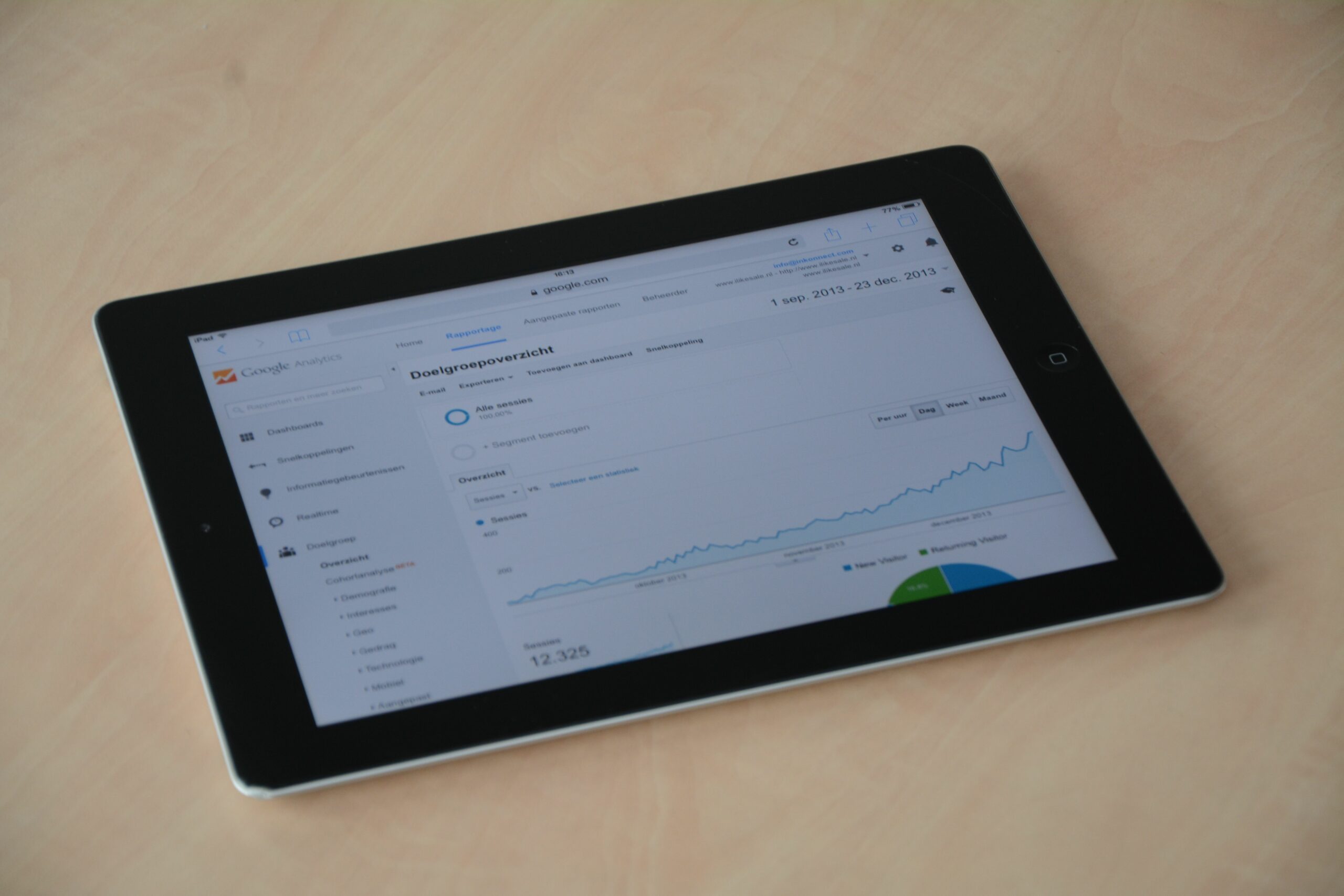

Google Analytics social media measurement in 2025 is less about vanity dashboards and more about clean attribution – meaning you can connect posts, creator links, and paid boosts to real outcomes like signups, purchases, and qualified leads. The shift to GA4, stricter privacy controls, and more in-app browsing has made social traffic harder to interpret, but not impossible. If you standardize UTMs, define conversion events, and build a few focused reports, you can answer the questions stakeholders actually ask. For example: which creator drove the highest revenue per click, which platform brought new customers, and which content format assisted conversions even when it did not get the last click. This guide walks through a practical setup you can implement in an afternoon, plus decision rules you can use for influencer campaigns and organic social.
Before you touch GA4, align on definitions so your team stops debating what a metric means. Start with CPM (cost per thousand impressions) – useful for awareness buys and creator whitelisting, but not a conversion metric. CPV (cost per view) is common for video-first platforms and helps compare Reels, Shorts, and TikTok when view definitions differ. CPA (cost per acquisition) is the most decision-ready metric for performance, but only if your conversion event is correct. Engagement rate is typically engagements divided by reach or impressions – pick one and document it in your reporting notes. Reach is unique accounts exposed, while impressions are total exposures, including repeats; social platforms often report both, but GA4 only sees what happens after the click.
Two influencer-specific terms also need to be explicit. Whitelisting means running ads through a creator handle (or using their content in ads) – it changes distribution and can inflate what looks like organic impact if you do not separate paid from organic UTMs. Usage rights define how long and where you can reuse creator content; if you plan to repurpose posts into ads or landing pages, you need rights in writing. Finally, exclusivity means the creator agrees not to work with competitors for a period; it affects pricing and should be tracked because it can change expected lift. Concrete takeaway: put these definitions in your campaign brief and in your GA4 reporting doc so every report uses the same math.

UTMs are still the backbone of social attribution because they survive most platform changes and keep your data portable. The goal is consistency, not creativity. Use utm_source for the platform (instagram, tiktok, youtube, x, linkedin), utm_medium for the channel type (paid_social, organic_social, influencer, affiliate), and utm_campaign for the campaign name (spring_launch_2025). Then use utm_content to identify the creative or creator (creator_handle_format1), and optionally utm_term for audience or targeting notes if you need it for paid. Keep everything lowercase, use underscores, and never change naming mid-campaign.
Here is a simple naming rule that prevents 80 percent of reporting headaches: one campaign name per initiative, one creator code per creator, and one landing page per objective. If you want to test multiple landing pages, do it intentionally and label it in utm_content. Also, avoid spaces and special characters because some apps will break or truncate URLs. If you use link shorteners, make sure they preserve the full query string. Concrete takeaway: build a shared UTM generator sheet and lock the dropdown values for source and medium so teammates cannot invent new variants.
| Use case | utm_source | utm_medium | utm_campaign | utm_content example |
|---|---|---|---|---|
| Organic brand post | organic_social | spring_launch_2025 | carousel_product_01 | |
| Influencer Story link | influencer | spring_launch_2025 | creator_jamielee_story | |
| Creator YouTube description | youtube | influencer | spring_launch_2025 | creator_techdrew_desc |
| Paid social ad | meta | paid_social | spring_launch_2025 | adset_prospecting_videoA |
| Whitelisted creator ad | meta | paid_social | spring_launch_2025 | whitelist_creator_jamielee |
If you need an official reference for how Google expects UTMs to be used, review Google’s documentation on URL parameters at Campaign URL Builder and UTM parameters. Use it to settle internal debates about which field should hold what.
In 2025, the fastest way to make social reporting useful is to treat GA4 like a measurement system, not a traffic counter. First, confirm your base implementation: GA4 tag firing on every page, cross-domain tracking if you use a separate checkout, and consent mode configured if you operate in regions with consent requirements. Next, define the few events that represent progress toward revenue. For ecommerce, that is usually view_item, add_to_cart, begin_checkout, and purchase. For lead gen, it might be generate_lead, form_submit, or a custom event like book_demo. Then mark only the events that represent a true business outcome as conversions, otherwise your conversion rate becomes meaningless.
Social traffic often lands on mobile and bounces quickly, so micro-conversions matter. Create events for scroll depth, time on page thresholds, or key clicks like “view pricing” if they correlate with downstream conversion. However, do not mark them as conversions unless you have a clear reason. Concrete takeaway: keep a two-tier model – primary conversions (revenue or qualified lead) and secondary events (engagement signals) – and report them separately.
To make GA4 social reporting usable, build two Explorations: (1) a Traffic acquisition view filtered to social mediums, and (2) a Funnel exploration that starts with session_start from social and ends in purchase or lead. Save both and pin them for your team. When you need more structured dashboards, connect GA4 to Looker Studio, but keep the underlying definitions in GA4 so the logic is consistent.
How to attribute influencer impact when last click is misleading
Influencer campaigns rarely behave like search ads. A creator might introduce the product, then the user returns later through branded search, email, or direct. If you only look at last-click source, you will undervalue creators who drive consideration. In GA4, use the Advertising section to compare attribution models, and pay attention to assisted conversions and path exploration. Even if you do not run Google Ads, these reports can show how social sessions contribute earlier in the journey.
Use this practical rule: evaluate creators on a blended scorecard, not a single metric. For example, combine (a) revenue or leads from last click, (b) assisted conversions, and (c) new users or first-time purchasers. Then normalize by spend to get efficiency. If you pay creators a flat fee, treat that as spend; if you also boost their content, split the budget line items so you can see what drove lift. Concrete takeaway: if a creator has low last-click revenue but high assisted conversions and strong new-user share, keep them in the test pool and adjust landing pages before you cut them.
| Metric | What it answers | Best for | Decision rule |
|---|---|---|---|
| Last-click revenue | Who closed the sale | Promo codes, direct-response links | Scale if ROAS is above target for 2 cycles |
| Assisted conversions | Who influenced the journey | Upper funnel creators | Keep if assists per 1,000 sessions beats median |
| New users share | Who brought fresh audience | Awareness and expansion | Prioritize if new users are high and bounce is not extreme |
| Conversion rate | How well traffic converts | Landing page and offer testing | Fix landing page if CVR is 30% below site average |
| Revenue per session | Value of each visit | Comparing platforms and creators | Reallocate budget to higher RPS even if clicks are lower |
Numbers make negotiations and budget decisions easier, especially when influencer pricing feels subjective. Start with a simple ROI model that matches your business type. For ecommerce, use contribution margin rather than revenue when you can, because shipping and COGS matter. For lead gen, use expected value per lead based on close rate. Concrete takeaway: pick one ROI formula and use it consistently across creators so performance comparisons are fair.
Formula 1: Revenue per session (RPS)
RPS = Total revenue from a source or creator / Sessions from that source or creator.
Example: A creator drives 1,200 sessions and $9,600 revenue. RPS = 9,600 / 1,200 = $8. If another creator drives 600 sessions and $7,200 revenue, their RPS is $12, even though they brought fewer clicks.
Formula 2: Cost per acquisition (CPA)
CPA = Total spend / Conversions.
Example: You pay $2,500 for a package and attribute 40 purchases. CPA = 2,500 / 40 = $62.50. Compare that to your target CPA based on margin.
Formula 3: Effective CPM for creator content
eCPM = (Creator fee / Impressions) x 1,000.
Example: $3,000 fee and 250,000 impressions yields eCPM = (3,000 / 250,000) x 1,000 = $12. This helps you benchmark awareness buys, but do not confuse it with conversion efficiency.
When you report these metrics, add context: platform norms, content format, and whether the post was boosted. If you need a deeper library of measurement and reporting ideas, you can browse the InfluencerDB.net blog guides on influencer analytics and reporting and adapt the templates to your workflow.
Campaign workflow: from brief to dashboard in one repeatable system
A repeatable workflow is what turns GA4 data into decisions. Start with a brief that includes objective, audience, key message, offer, landing page, and tracking plan. Then create tracking assets before content goes live: UTM links per creator placement, dedicated landing pages if needed, and promo codes if you use them. After that, QA everything on a real device, because many attribution issues come from mobile app browsers stripping parameters or redirect chains. Concrete takeaway: do not approve a post until you have clicked the exact link that will be published and confirmed the session shows the right source and medium in GA4 Realtime.
| Phase | Tasks | Owner | Deliverable |
|---|---|---|---|
| Planning | Define objective, KPIs, offer, landing page | Marketing lead | 1-page brief |
| Tracking setup | Create UTMs, promo codes, link shorteners, QA plan | Analyst | Tracking sheet |
| Creator execution | Approve scripts, confirm usage rights and exclusivity | Influencer manager | Signed agreement |
| Launch QA | Click test links, verify GA4 events, check redirects | Analyst | QA checklist |
| Reporting | Weekly creator scorecard, insights, next actions | Analyst + manager | Dashboard + notes |
Most social reporting problems come from a few repeatable errors. First, teams mix utm_source values like “IG”, “Instagram”, and “instagram”, which fragments reporting and makes trends look smaller than they are. Second, creators post the wrong link, or the link gets edited after approval, so your UTM plan never matches reality. Third, brands mark too many GA4 events as conversions, which inflates conversion counts and hides what is actually driving revenue. Fourth, whitelisted ads and organic creator posts get lumped together, so paid amplification looks like creator performance. Concrete takeaway: audit your top 20 social landing URLs weekly during a campaign and fix naming issues immediately, not at the end.
Another common issue is relying on platform-reported clicks without reconciling GA4 sessions. Social platforms count clicks differently, and some clicks never become sessions due to slow loads, app browser quirks, or user drop-off. Track both, but use GA4 for on-site outcomes. Finally, do not ignore referral exclusions and cross-domain settings. If your checkout is on a separate domain and not linked correctly, GA4 may attribute conversions to payment processors instead of the original social source.
Best practices for 2025: privacy, consent, and clean measurement
Privacy changes have reduced deterministic tracking, so measurement has to be more disciplined. Use consent mode where applicable and keep your cookie banner behavior consistent across pages, otherwise your data will have unexplained gaps. Also, prioritize first-party data capture: email signups, account creation, and post-purchase surveys that ask “Where did you hear about us?” can validate what GA4 suggests. Concrete takeaway: add a one-question attribution survey on your thank-you page and compare it to GA4 source data monthly to spot systematic undercounting from social.
For compliance, make sure influencer disclosures are clear and consistent, because undisclosed sponsored posts can create legal risk and also distort performance if content gets limited or removed. The FTC’s guidance is a useful baseline for disclosure expectations: FTC Disclosures 101 for social media influencers. Even if you are not in the US, the principles help you set a standard that platforms and audiences recognize.
Finally, keep your reporting tight. A good weekly social analytics update can fit on one page: top creators by revenue per session, top platforms by new users, landing pages with low conversion rate, and three actions for next week. If you need to educate stakeholders, show one annotated user path example rather than dumping a spreadsheet. That is how you get buy-in for better tracking and better creative.