
Sentiment analysis tools turn messy comments, reviews, and creator chatter into measurable signals you can use to plan, optimize, and defend influencer spend. In practice, they help you answer questions that basic metrics miss: Are people excited or annoyed, confused or convinced, and is that shift happening because of your creators or in spite of them? To make the output trustworthy, you need a clear use case, a consistent labeling method, and a way to connect sentiment to reach, impressions, and conversions. This guide shows how to select tools, validate accuracy, and operationalize results for influencer marketing teams. Along the way, you will get definitions, formulas, tables, and a repeatable workflow you can run every campaign.
What sentiment analysis is – and what it is not
Sentiment analysis is the process of classifying text (and sometimes audio) into emotional polarity, typically positive, negative, or neutral, and sometimes into finer categories like joy, anger, disappointment, or sarcasm. In influencer marketing, the most common data sources are TikTok comments, Instagram comments, YouTube comments, Reddit threads, app store reviews, customer support tickets, and post campaign surveys. The key point is that sentiment is not the same as engagement rate. A post can have a high engagement rate because people are arguing, dunking, or calling out a brand, which is engagement but not healthy perception. Likewise, sentiment is not the same as brand lift, although it can be a component of it when measured consistently.
Before you choose a tool, define what you want to measure. Do you need a simple positive versus negative trendline for weekly reporting, or do you need aspect based sentiment like “shipping,” “price,” and “quality” to guide creative and product messaging? Also decide whether you need real time monitoring (for crisis response) or retrospective analysis (for post campaign reporting). As a practical takeaway, write a one sentence “sentiment job to be done,” such as: “Detect negative spikes about taste after creator posts, within 2 hours, and route to community management.” That sentence will prevent you from buying a tool that is powerful but irrelevant.
Key terms you should define before you report results

Teams often argue about performance because they never aligned on definitions. Use the list below as a campaign kickoff checklist, then bake the definitions into your brief and dashboard. This also makes sentiment reporting easier to defend when stakeholders ask why a “viral” post did not help the brand.
- Reach: Unique accounts that saw content at least once.
- Impressions: Total views, including repeat views by the same account.
- Engagement rate: (Likes + comments + shares + saves) divided by impressions or reach, depending on your standard. Write which denominator you use.
- CPM: Cost per thousand impressions. Formula: CPM = (Spend / Impressions) x 1000.
- CPV: Cost per view. Formula: CPV = Spend / Views.
- CPA: Cost per acquisition (purchase, signup, install). Formula: CPA = Spend / Conversions.
- Whitelisting: Brand runs paid ads through a creator’s handle (also called creator licensing in some platforms).
- Usage rights: Permission to reuse creator content in owned channels or ads, with duration and placements specified.
- Exclusivity: Creator agrees not to work with competitors for a defined period and category scope.
Concrete takeaway: pick one engagement rate formula and stick to it across campaigns. If you switch denominators mid quarter, your sentiment to performance correlations will look “wrong” even when they are not.
Sentiment analysis tools: a practical selection framework
Most sentiment stacks fall into four buckets: platform native signals, social listening suites, dedicated NLP APIs, and spreadsheet friendly workflows. The right choice depends on volume, languages, and how much you need to customize. Start with a simple decision rule: if you have fewer than 5,000 comments per month and only one language, you can often get reliable insight with a lightweight workflow. If you have multiple markets, high volume, or a crisis sensitive category, you need automation plus human QA.
When you evaluate options, score them against the same criteria. Here are the factors that matter most for influencer teams:
- Channel coverage: TikTok, Instagram, YouTube, Reddit, X, reviews, forums.
- Data access: API support, historical backfill, comment export limits.
- Model quality: Handles slang, emojis, sarcasm, and creator specific language.
- Aspect tagging: Can you tag topics like “price,” “shade range,” “shipping”?
- Workflow: Alerts, assignments, and audit trails for QA.
- Reporting: Trendlines, share of voice, and exportable tables.
- Privacy and compliance: Data retention, PII handling, and access controls.
If you want a deeper library of measurement ideas and reporting templates, browse the and adapt the formats to your internal dashboards.
| Tool type | Best for | Strengths | Limitations | Quick decision rule |
|---|---|---|---|---|
| Platform native analytics | Small programs, quick checks | Free, immediate context | No robust sentiment labeling, limited exports | Use when you only need qualitative readouts |
| Social listening suite | Brand monitoring across channels | Dashboards, alerts, trend analysis | May struggle with niche slang, cost | Choose when you need always on monitoring |
| NLP API (custom build) | Advanced teams, custom taxonomies | Flexible, can tune models | Requires engineering and QA | Pick when accuracy and customization matter most |
| Spreadsheet plus sampling | Proof of concept, audits | Transparent, cheap, easy to explain | Not scalable, slower | Use to validate any automated tool before rollout |
How to validate accuracy before you trust the dashboard
Sentiment models are often “good on average” and wrong in the exact places influencer marketing lives: sarcasm, inside jokes, and short comments like “dead” or “this is sick.” Validation is not optional if you plan to use sentiment in executive reporting. Instead, run a simple audit: sample comments, label them with a human rubric, and compare the tool’s output. This gives you a baseline error rate and reveals where the model fails.
Use this step by step method for a campaign level validation:
- Define labels: Positive, negative, neutral, plus “unclear” and “spam.” Add an “irony” tag if your category gets sarcasm.
- Sample: Pull at least 300 comments across creators, posts, and time windows. Include top liked comments and random ones.
- Blind label: Two people label the same 100 comments to check consistency, then split the rest.
- Calculate agreement: If your two labelers disagree often, your rubric is the problem, not the tool.
- Compare to tool: Compute precision for negative sentiment, since false negatives are risky in brand safety.
- Document failure modes: List common misreads like slang, emojis, or product names.
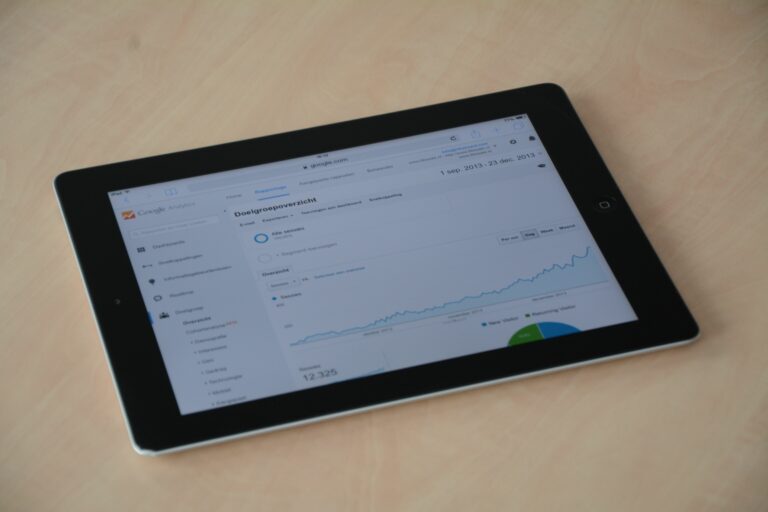
Concrete takeaway: treat “negative sentiment precision” as your gate. If the tool flags 100 comments as negative and 40 are not, your team will waste time and lose trust. For measurement standards and definitions that align with broader marketing analytics, you can reference the Google Analytics documentation when you map sentiment trends to site behavior.
| Metric | What it tells you | Simple formula | Target for campaign use |
|---|---|---|---|
| Negative precision | How often “negative” is truly negative | True negative / flagged negative | 70%+ to start, 80%+ ideal |
| Negative recall | How many negative comments you catch | True negative / all negative | Depends on risk tolerance |
| Labeler agreement | Rubric clarity and human consistency | Agreement % on shared sample | 85%+ before trusting trends |
| Unclear rate | How much data is ambiguous | Unclear / total sample | Lower is better, but be honest |
Turning sentiment into campaign KPIs you can act on
Sentiment is only useful when it changes what you do next. To get there, connect it to a specific KPI and a decision. For influencer programs, the most actionable KPI is usually net sentiment and negative share by creator, concept, and time window. Net sentiment is easy to explain and stable enough for trendlines.
- Net sentiment = (Positive – Negative) / (Positive + Negative + Neutral)
- Negative share = Negative / Total labeled comments
Example calculation: A creator post gets 600 labeled comments: 240 positive, 90 negative, 270 neutral. Net sentiment = (240 – 90) / 600 = 0.25. Negative share = 90 / 600 = 15%. Now make it operational: if negative share exceeds 20% in the first 6 hours, pause whitelisting and review comments for a recurring complaint. If net sentiment is positive but conversion is weak, test a clearer CTA or a different offer rather than swapping creators immediately.
Concrete takeaway: always segment sentiment by creative concept (hook, claim, offer) and not just by creator. Otherwise, you will blame the talent for a messaging problem.
Workflow: from raw comments to a report your team trusts
A repeatable workflow prevents “sentiment theater,” where charts look impressive but no one believes them. The simplest reliable pipeline has five steps: collect, clean, label, analyze, and act. You can run this weekly for always on programs or per flight for campaign bursts.
- Collect: Export comments and captions for each post, plus timestamps, likes, and reply counts. Keep the post URL and creator handle as keys.
- Clean: Remove duplicates, obvious spam, and non language strings. Keep emojis, because they often carry sentiment.
- Label: Use your tool to auto label, then human review a sample and all high impact negatives.
- Analyze: Break down by creator, concept, and time. Add context: product launch date, promo code drop, shipping delays.
- Act: Decide what changes next week: brief edits, community replies, creator swaps, or paid amplification adjustments.
To make this easier, add a one page “sentiment appendix” to your campaign wrap report. Include your labeling rubric, sample size, and known limitations. That transparency is often what wins stakeholder trust. If you need a place to store and standardize these templates, build a shared playbook and link it from your internal wiki alongside resources from the InfluencerDB Blog.
Common mistakes that break sentiment reporting
Most sentiment failures are process problems, not model problems. Fixing them usually costs nothing, but it requires discipline. Start by checking whether you are comparing like with like across creators and platforms.
- Sampling only top comments: Top comments skew extreme. Mix top and random samples.
- Ignoring language and region: A model trained on US English will misread slang in other markets.
- Counting creator fan wars as brand sentiment: Tag “creator drama” separately so it does not pollute brand readouts.
- Using sentiment without volume thresholds: Ten negative comments on a small post is different from ten thousand on a viral one.
- Overreacting to early spikes: First hour comments can be unrepresentative. Set a minimum time window before decisions.
Concrete takeaway: set two thresholds in your dashboard – a minimum labeled comment count (for example 100) and a negative share trigger (for example 20%). Without both, you will chase noise.
Best practices for influencer teams using sentiment day to day
Once your measurement is stable, sentiment becomes a practical lever for creative, community, and paid amplification. The best teams treat it like a feedback loop, not a scorecard. They also separate what the creator can control (tone, clarity, disclosure) from what the brand controls (offer, product readiness, customer experience).
- Build an aspect taxonomy: Track sentiment about price, quality, shipping, customer service, and claims. This makes insights actionable.
- Pair sentiment with exposure: Report sentiment alongside reach and impressions so leaders understand scale.
- Use a QA lane: Human review all comments flagged as severe negative, especially in regulated categories.
- Close the loop with creators: Share a short excerpt of recurring confusion and update the next brief.
- Align with disclosure rules: If negative sentiment clusters around “this feels like an ad,” tighten disclosure and messaging. The FTC disclosure guidance is a solid reference for the basics.
Concrete takeaway: create a “sentiment to action” mapping. Example: if “confusing instructions” sentiment rises, update the pinned comment and add a clearer CTA in the next creator batch.
Mini playbook: using sentiment to improve ROI and reduce risk
Sentiment can support ROI when you connect it to outcomes and make disciplined decisions. Start with a simple model: sentiment is an early indicator, while conversions are a lagging indicator. If sentiment drops sharply, conversion may follow, but not always. Your job is to test whether sentiment shifts predict performance in your category.
Here is a practical approach you can run in a spreadsheet:
- Normalize by exposure: Compute negative comments per 10,000 impressions.
- Track by creator and concept: Keep separate rows for each post and creative angle.
- Add outcome columns: CTR, CVR, CPA, and revenue where available.
- Look for patterns: Do posts with high negative per 10,000 impressions also have worse CPA?
- Decide: If the pattern holds, use sentiment as a guardrail for whitelisting and budget shifts.
Example: You spend $8,000 whitelisting a creator post that delivered 1,600,000 impressions. CPM = ($8,000 / 1,600,000) x 1000 = $5. If that post also produced 480 negative comments, negative per 10,000 impressions = 480 / 160 = 3.0. Compare that to other posts. If your best performers sit under 1.0, you have a clear decision rule: do not amplify creatives above 2.0 until the messaging is fixed.
Concrete takeaway: sentiment is most valuable as a budget safety rail for amplification and as a brief improvement tool for the next wave of creators.