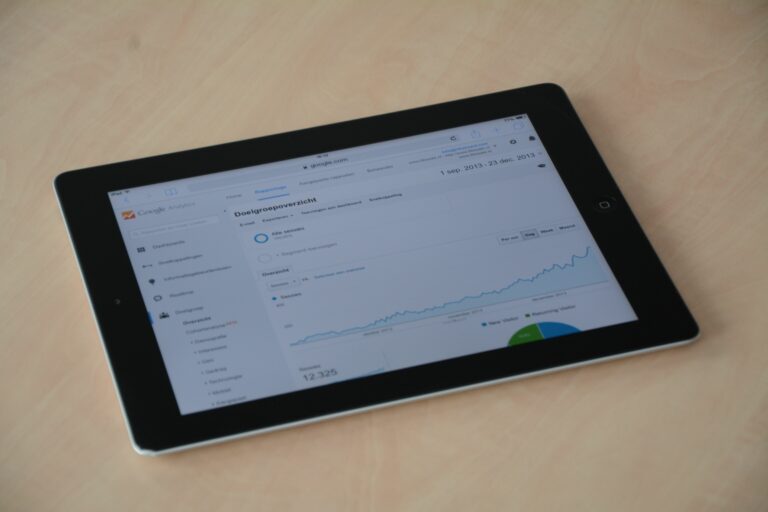

Social media reporting software is no longer a nice-to-have in 2025 – it is the difference between confident budget decisions and dashboards that look busy but answer nothing. The market has split into two camps: tools that summarize vanity metrics and tools that connect social performance to business outcomes like leads, sales, and retention. This guide helps you choose the right category, ask the right questions in demos, and build reports that stakeholders actually read. Along the way, you will get definitions, formulas, checklists, and two tables you can reuse.
Before you compare tools, lock in what you need to measure. Otherwise, every vendor demo will look good because they can all chart followers and likes. In practice, strong reporting software should cover four layers: delivery, engagement, audience quality, and outcomes. Delivery tells you whether content got a chance to perform, engagement tells you whether it resonated, audience quality tells you whether it reached the right people, and outcomes tell you whether it drove business value.
Use this decision rule: if you cannot tie at least one social metric to a business metric, you do not have reporting – you have activity tracking. For influencer and creator programs, that business metric might be attributed revenue, qualified traffic, signups, app installs, or even brand lift if you run surveys. When you evaluate a tool, ask to see how it handles data freshness, historical backfill, and cross-channel deduplication, because those are common failure points.
- Takeaway checklist: Define 1 primary outcome metric, 2 supporting metrics, and 3 diagnostic metrics per channel.
- Require exportable raw data (CSV or API) so you can audit calculations.
- Confirm the tool supports UTM tracking and can ingest conversion data from your analytics stack.
Key terms you need to define (with simple formulas)

Teams waste time arguing about performance because they never align on definitions. Set these terms in your reporting template and keep them consistent across platforms. Also, document which metrics come from native platform APIs versus estimated models, since estimates can be useful but should not be treated like audited truth.
- Reach: Unique accounts that saw content at least once.
- Impressions: Total times content was displayed. One person can generate multiple impressions.
- Engagement rate (ER): A ratio of interactions to exposure. Common options: ER by reach = engagements / reach; ER by impressions = engagements / impressions; ER by followers = engagements / followers. Pick one and stick to it.
- CPM (cost per thousand impressions): (Spend / impressions) x 1000.
- CPV (cost per view): Spend / video views (define view threshold by platform).
- CPA (cost per acquisition): Spend / conversions (purchase, signup, install, etc.).
- Whitelisting: Running paid ads through a creator or influencer handle, typically via platform permissions.
- Usage rights: Permission to reuse creator content in your owned channels or ads, usually time-bound and scoped.
- Exclusivity: A restriction that prevents a creator from working with competitors for a period of time.
Example calculation: you spend $6,000 on a creator package and whitelisted ads. The content generates 480,000 impressions and 1,200 tracked purchases. Your CPM is (6000 / 480000) x 1000 = $12.50. Your CPA is 6000 / 1200 = $5. If your average order margin is $18, the program is profitable even before you count repeat purchases.
For platform definitions, verify view and attribution rules in official documentation. For example, Meta explains measurement concepts and attribution settings in its Business Help Center: Meta Business Help Center.
A practical buying framework: match tool type to your reporting job
In 2025, “reporting software” can mean very different products. Some are lightweight dashboard builders, others are social media management suites, and a growing set are influencer measurement platforms. To avoid buying the wrong thing, start with your reporting job and then map it to a tool category. If your team needs daily community management, a scheduling suite with reporting may be enough. On the other hand, if you need cross-channel ROI and creator-level auditing, you will likely need deeper analytics and data connectors.
Use this framework in order: (1) identify stakeholders and decisions, (2) list required data sources, (3) define attribution approach, (4) set governance and permissions, and (5) score vendors against must-haves. Most teams skip step one, then wonder why the CEO ignores the report. A report is successful when it changes a decision: shift budget, pause a creator, refresh creative, or expand a channel.
| Reporting job | Best-fit tool type | Must-have features | Good enough if |
|---|---|---|---|
| Weekly channel performance for organic social | Native analytics + dashboard layer | Scheduled exports, role-based access, annotations | You do not need conversion attribution |
| Cross-channel executive reporting | BI tool with connectors | Data warehouse support, blended metrics, custom formulas | You have analytics support in-house |
| Influencer and creator program measurement | Influencer analytics and tracking | Creator-level rollups, fraud signals, link and code tracking | Your program is small and manual tracking is reliable |
| Paid social optimization reporting | Ads reporting + experimentation tooling | Attribution windows, creative breakdowns, cohorting | You only need platform-native reporting |
Takeaway: Write a one-page “reporting brief” before demos. Include the decision you need to make, the cadence, and the exact metric definitions. Then use that brief as your demo script so vendors cannot steer you into irrelevant features.
Tool comparison criteria that actually matter (and what to ask in demos)
Feature checklists are easy to game. Instead, focus on criteria that affect trust, speed, and decision quality. Start with data integrity: does the tool pull from official APIs, how often does it refresh, and how does it handle API limits and outages? Next, look at metric transparency: can you click into a number and see how it was calculated, including filters and time zones? Finally, evaluate workflow: can you annotate campaigns, tag content consistently, and share views with stakeholders without creating a mess of duplicated dashboards?
During demos, ask vendors to build one report live using your real constraints. For example, request a report that isolates a product launch week, excludes employee advocacy posts, and breaks out performance by content format. If they cannot do that without “sending it to the solutions team,” expect friction later. Also ask how they handle creator whitelisting and paid amplification reporting, because organic and paid often get mixed in ways that hide true performance.
| Criterion | Why it matters | What to test | Red flag |
|---|---|---|---|
| Data source quality | Prevents misleading metrics | API-based pulls, refresh cadence, historical backfill | Heavy reliance on estimates without labeling |
| Attribution support | Connects social to outcomes | UTM ingestion, pixel events, offline conversions | Only last-click reporting with no options |
| Taxonomy and tagging | Makes comparisons fair | Campaign tags, creator tags, format tags, bulk edits | Tagging is manual per post with no governance |
| Collaboration | Speeds approvals and learning | Comments, annotations, shareable links, permissions | Exports only, no shared live views |
| Auditability | Builds trust with finance and leadership | Drill-down to post level, raw exports, change logs | Numbers change with no explanation |
Takeaway: If a tool cannot show post-level and creator-level detail behind every rollup metric, do not use it for budget decisions. Keep it for visualization only.
How to build a reporting stack that proves ROI (step by step)
Most ROI problems are tracking problems. Fortunately, you can solve a lot with a simple stack: consistent UTMs, a link strategy, conversion tracking, and a reporting layer that blends social, web analytics, and commerce data. Start by standardizing UTMs for every campaign and creator. Next, decide how you will track conversions: pixel events for web, SDK events for apps, and coupon codes where links are unreliable. Then, create a single source of truth table that joins spend, content metadata, and outcomes.
Here is a step-by-step workflow you can implement this quarter:
- Define the conversion: purchase, lead, signup, install, or qualified visit.
- Set attribution rules: choose a window and stick to it for comparisons.
- Build a UTM standard: utm_source, utm_medium, utm_campaign, utm_content (use creator handle or asset ID).
- Instrument tracking: verify events fire correctly and dedupe where needed.
- Normalize costs: include creator fees, whitelisting spend, production, and usage rights.
- Report three views: channel view, campaign view, creator view.
- Review and act: decide what to scale, fix, or stop within 72 hours of the report.
For UTM conventions and campaign measurement basics, Google’s documentation is a reliable reference: Google Analytics UTM parameters. Put your UTM rules in a shared doc and enforce them in briefs and contracts.
Takeaway: Your report should always answer three questions: What happened? Why did it happen? What will we do next? If a dashboard cannot support the “why,” add breakdowns like format, hook type, posting time, and audience segment.
The most common mistake is treating impressions as success. Impressions are a delivery metric, not a business outcome. Another frequent issue is mixing organic and paid without labeling, which makes content look better than it is and hides inefficient spend. Teams also over-index on averages, even though social performance is usually skewed by a few breakout posts. Medians and percentile bands often tell a more honest story.
Tool-wise, buyers often choose software based on the prettiest dashboard instead of the cleanest data model. That leads to endless manual fixes, especially when platforms change APIs. Finally, many teams forget governance: without a tagging taxonomy and naming rules, reports become incomparable month to month. Fix that by creating a controlled list of campaign names, product lines, and creator IDs.
- Avoid this: “One dashboard for everything” with no drill-down.
- Do this instead: Separate an executive summary from an analyst view with post-level detail.
- Audit tip: Each month, spot-check 10 posts against native platform analytics to confirm parity.
Best practices: reporting templates, cadences, and stakeholder alignment
Reporting becomes valuable when it is consistent. Start by setting a cadence: weekly for tactical optimization, monthly for budget pacing, and quarterly for strategy shifts. In each report, include a short narrative that explains what changed and why. Add annotations for product launches, algorithm changes, creative tests, and PR moments so future readers can interpret spikes correctly.
Next, standardize your templates. A strong template includes: goal, time range, spend, top content, bottom content, audience notes, and next actions. For influencer programs, add fields for usage rights, exclusivity terms, and whitelisting status so performance can be interpreted in context. If you need ideas for how to structure those sections, browse the InfluencerDB.net Blog for practical measurement and campaign planning articles.
Takeaway: End every report with 3 decisions, not 30 charts. For example: “Scale creator A with whitelisting,” “Pause creator B due to low conversion rate,” and “Test shorter hooks on Reels because ER by reach dropped 18%.”
Quick selection checklist for 2025 buyers
When you are ready to choose, run a short procurement checklist. First, confirm data coverage for your channels and regions, because API access differs by platform and country. Second, validate security and permissions, especially if you will grant access to agencies or creators. Third, confirm total cost of ownership: license fees plus implementation, training, and the time your team will spend cleaning data.
- Can it separate organic, paid, and whitelisted performance cleanly?
- Does it support your attribution approach and export raw data?
- Can you tag campaigns and creators with governance controls?
- Will stakeholders actually use it – shared links, scheduled emails, and simple views?
- Is there a clear support path when platform APIs change?
Final decision rule: pick the tool that makes your next decision easier, not the tool with the longest feature list. If you cannot explain how the software will change budget allocation, creator selection, or creative strategy, keep evaluating.