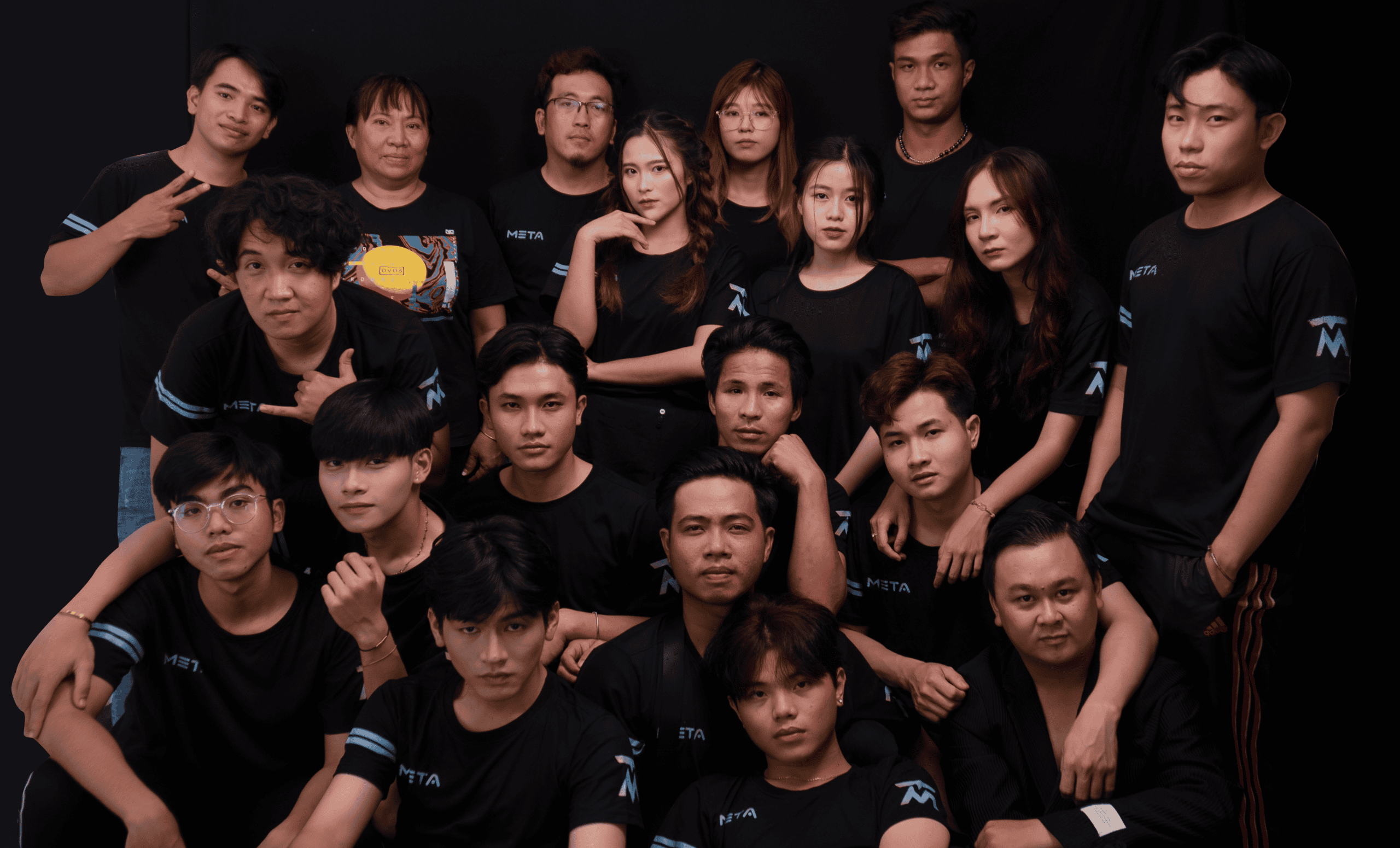

A meet the team social media post is one of the fastest ways to turn a logo into real people – and real people earn attention, trust, and replies. Done well, it improves brand recall, lifts engagement rate, and gives your sales and creator partnerships a warmer starting point. Done poorly, it reads like a staff directory and disappears in the feed. This guide gives you a practical framework, ready to copy templates, and a measurement plan so you can prove the post worked.
Before you write anything, decide what success looks like. For some teams, the goal is recruiting. For others, it is customer confidence, community building, or creator outreach. Your objective determines the format, the call to action, and what you track. If you want more social strategy ideas that pair content with measurable outcomes, browse the InfluencerDB Blog for frameworks you can reuse across campaigns.
A strong team intro post does three jobs at once: it humanizes the brand, it signals competence, and it invites interaction. That means you need more than a headshot and a job title. Instead, you want a small story, a clear role in the customer journey, and a prompt that makes commenting easy. For example, a support lead can share the most common question they solve, while a product manager can share what they are building next.
Use these decision rules to pick the right angle:
- If your product is high trust (finance, health, B2B services) – highlight expertise, credentials, and process.
- If your product is lifestyle (beauty, fitness, food) – highlight taste, routines, and personal favorites that match the brand.
- If you are hiring – highlight culture, growth, and what the person learned in their first 90 days.
- If you rely on creators – highlight the team members who manage partnerships and how they collaborate with influencers.
Concrete takeaway: write a one sentence goal statement before you draft the post, such as “Increase qualified DMs from creators” or “Improve conversion confidence for first time buyers.” That single line will keep the content focused.
Key metrics and terms to define before you post

Team posts feel “soft,” but you can still measure them with the same discipline you use for campaigns. Define these terms early so your team reports the same numbers:
- Reach – the number of unique accounts that saw the post.
- Impressions – total views, including repeat views by the same account.
- Engagement rate – engagements divided by reach (or impressions, but pick one and stick to it). Engagements typically include likes, comments, saves, shares, and sometimes profile taps.
- CPM (cost per mille) – cost per 1,000 impressions. Formula: CPM = (Spend / Impressions) x 1000.
- CPV (cost per view) – cost per video view. Formula: CPV = Spend / Views.
- CPA (cost per acquisition) – cost per desired action (signup, purchase, lead). Formula: CPA = Spend / Conversions.
- Usage rights – permission to reuse the content (for example, on your website, ads, email). Define duration and channels.
- Exclusivity – a restriction preventing someone from working with competitors for a period of time.
- Whitelisting – running ads through a creator or employee profile (or using their handle) with permission, so the ad appears from that account.
Example calculation: you boost a team reel for $300 and it gets 60,000 impressions. Your CPM is (300 / 60000) x 1000 = $5. If the reel drives 30 email signups, your CPA is 300 / 30 = $10. Concrete takeaway: decide in advance whether the post is judged on engagement rate (community goal) or CPA (lead goal), not both.
Use this repeatable structure to keep posts consistent while still feeling personal. It works for Instagram, TikTok, LinkedIn, and YouTube Shorts with small tweaks.
- Hook – one line that earns the pause. Use a customer problem, a surprising fact, or a quick “day in the life” moment.
- Name and role – keep it plain. Clarity beats cleverness.
- Proof of competence – one specific detail: years in the field, a project shipped, a measurable outcome, or a credential.
- Human detail – a routine, a favorite tool, a hobby, or a behind the scenes habit that fits the brand tone.
- Brand connection – how their work improves the customer experience.
- Call to action – a question that invites comments, or a next step like “Ask us anything about X.”
Concrete takeaway: draft the post in six lines first, one per building block. If any line feels vague, replace it with a number, a named project, or a real customer outcome.
Templates you can copy for different platforms
These templates are designed to be edited quickly. Keep the voice consistent with your brand, and avoid stuffing hashtags. Also, do not force humor if your audience expects clarity.
Instagram carousel template
- Slide 1: Meet [Name] – the person behind [Outcome].
- Slide 2: Role: [Title]. Focus: [One responsibility].
- Slide 3: What they are working on: [Project] and why it matters.
- Slide 4: Their best tip for customers: [Actionable tip].
- Slide 5: Fun detail: [Human detail].
- Slide 6: Ask: “What do you want to know about [topic]?”
TikTok or Reels script template (20 to 35 seconds)
- 0 to 2s: “If you have ever wondered who [does X], it is me.”
- 2 to 8s: “I am [Name], [Role]. I help you [customer outcome].”
- 8 to 18s: Show 2 to 3 quick clips of your workflow. Add on screen text with specifics.
- 18 to 28s: “One thing I wish more people knew about [topic] is [tip].”
- 28 to 35s: “Ask me anything about [topic] in the comments.”
LinkedIn post template (professional, not stiff)
- Line 1: “Meet [Name], our [Role].”
- Line 2: “They recently [shipped X / improved Y by Z% / led project].”
- Line 3: “What they focus on day to day: [3 bullets].”
- Line 4: “Their best advice for [audience]: [tip].”
- Line 5: “Question: What is your biggest challenge with [topic]?”
Concrete takeaway: keep the call to action aligned with your goal. If you want creator inquiries, ask “What niche do you create in?” If you want customer insights, ask “What feature would save you the most time?”
Examples and content angles that do not feel generic
Most team posts fail because they rely on adjectives instead of evidence. Swap “passionate” and “hardworking” for moments and outcomes. Here are angles that tend to perform because they give the audience something specific to react to.
- The myth buster: “One mistake we see in [topic] every week.”
- The customer advocate: “The most common request we hear, and what we changed.”
- The tool stack: “Three tools I use daily and what each one is for.”
- The before and after: “What our process looked like last year vs now.”
- The values in action: “A time we said no to a shortcut and why.”
If you need a reference for what platforms count as engagement and how distribution works, Meta’s guidance on Meta Business Help Center can clarify definitions and reporting views. Concrete takeaway: pick one angle per person and keep it consistent across a series, so the audience learns what to expect.
Production checklist – visuals, captions, and accessibility
Good production is not about expensive gear. It is about clarity, consistency, and making the content easy to consume without sound. Start with a simple checklist you can reuse every time:
- Visual format: choose headshot, candid, desk shot, or “in the field” clip based on role.
- Lighting: face a window or use a soft light. Avoid overhead shadows.
- Audio: record in a quiet room; use a basic lav mic if possible.
- On screen text: include name, role, and one proof point.
- Captions: add subtitles for video. They increase completion rate and accessibility.
- Alt text: write descriptive alt text for images when the platform supports it.
- Brand safety: remove customer data, private dashboards, and sensitive documents from the background.
Concrete takeaway: standardize a “shot list” for your team series. When everyone records the same 3 to 5 clips, editing time drops sharply and the feed looks cohesive.
Planning and measurement – a simple scorecard you can run monthly
To keep team posts from becoming random, treat them like a mini campaign. Set a baseline, run the series, then compare. Use UTM links when you send traffic to a landing page, and track profile actions if the platform provides them. If you are testing paid support, separate organic performance from boosted performance so you do not confuse creative quality with spend.
| Goal | Primary metric | Secondary metric | What “good” looks like | Next action if weak |
|---|---|---|---|---|
| Community building | Engagement rate (by reach) | Saves and shares | Higher than your 30 day median | Improve hook and ask a clearer question |
| Recruiting | Clicks to careers page | Qualified applications | Steady week over week lift | Add role specific day in the life clips |
| Sales confidence | Profile visits | Website clicks | More profile actions per 1,000 reach | Show proof points and customer outcomes |
| Creator partnerships | Qualified DMs or email inquiries | Creator applications | More inbound from your target niches | Clarify deliverables, usage rights, and timelines |
Now add a lightweight experiment plan. For each post, test one variable only: hook style, length, thumbnail, or CTA. Then log results in a shared sheet. If you need a standard for campaign measurement language, the IAB’s overview of digital measurement is a useful reference point for aligning terms across teams: IAB Insights.
| Test | Version A | Version B | How to judge winner | Keep constant |
|---|---|---|---|---|
| Hook | Question hook | Bold statement hook | Higher 3 second view rate or higher comments per reach | Same person, same length, same posting time |
| Format | Carousel | Short video | Higher saves and shares, or higher completion rate | Same topic and CTA |
| CTA | Ask a question | Invite DMs | More comments vs more DMs, aligned to goal | Same hook and visuals |
| Proof point | Credential | Customer outcome metric | Higher profile visits and website clicks | Same caption length |
Concrete takeaway: create a “team post score” you can compare across months: (comments + saves + shares) / reach. It weights high intent actions more than likes, and it stays comparable even when reach fluctuates.
Common mistakes that make team posts underperform
Most issues are fixable, but you need to spot them early. First, brands often post a single team intro, then stop, so the audience never learns the pattern. Second, captions lean on vague traits instead of showing what the person actually does. Third, the creative lacks a hook, so even loyal followers scroll past. Finally, teams forget consent and context, especially when sharing personal details or filming in sensitive spaces.
- Posting headshots only, with no story or customer relevance.
- Using internal job titles that mean nothing to the audience.
- Forgetting subtitles, which lowers video completion rate.
- Asking a yes or no question, which reduces comments.
- Not aligning the CTA with the goal, so you cannot measure success.
Concrete takeaway: if you cannot summarize the post’s “why should I care” in eight words, rewrite the hook and the proof point.
Best practices – how to scale a team series without losing authenticity
Scaling is where most brands get nervous, because repetition can feel forced. The solution is to standardize structure while keeping the details personal. Build a shared brief, record in batches, and edit with a consistent style guide. Also, rotate roles across departments so the series does not become a marketing only spotlight. When you include operations, support, and product, you show the full machine behind the brand.
- Create a one page brief: goal, audience, key message, CTA, and do not include list.
- Use a consistent naming convention: “Meet [Name] – [Outcome]” so the series is recognizable.
- Get explicit permission: confirm what personal details are okay to share and where the content will live.
- Plan usage rights internally: if you will run the content as ads, state it upfront and document approval.
- Keep it conversational: write like a human, then tighten for clarity.
If you ever adapt these posts into paid ads or creator style content, pay attention to disclosure and transparency norms. The FTC’s guidance on endorsements is a helpful baseline for understanding when relationships and material connections should be disclosed: FTC endorsement guidelines. Concrete takeaway: treat internal “faces of the brand” content with the same rigor as influencer content, especially when it becomes advertising.
Quick start plan – publish your first four posts in two weeks
If you want momentum, do not start with ten people. Start with four and learn what your audience responds to. Pick one customer facing role, one product role, one leadership role, and one culture role. Then publish on a predictable cadence so the algorithm and your followers get the pattern. After two weeks, review the scorecard and decide what to repeat.
- Day 1: Choose goal, metric, and CTA. Draft the six building blocks for each person.
- Day 2: Record in one session using the same shot list and lighting setup.
- Day 3: Edit with subtitles and on screen text. Write alt text.
- Day 4: Publish post one. Reply to comments for 30 minutes.
- Day 7: Publish post two. Test a different hook style.
- Day 10: Publish post three. Keep hook, change CTA.
- Day 14: Publish post four. Add a stronger proof point.
Concrete takeaway: commit to replying to every relevant comment in the first hour. Team posts are built for conversation, and early replies often lift distribution.